Monospatial

Wherever. Sense it. Whenever.

You choose Wherever
Don't just see it, Sense it
You decide Whenever
scroll or click to enter
Apple Vision Pro · Spatial Media

See every dimension.

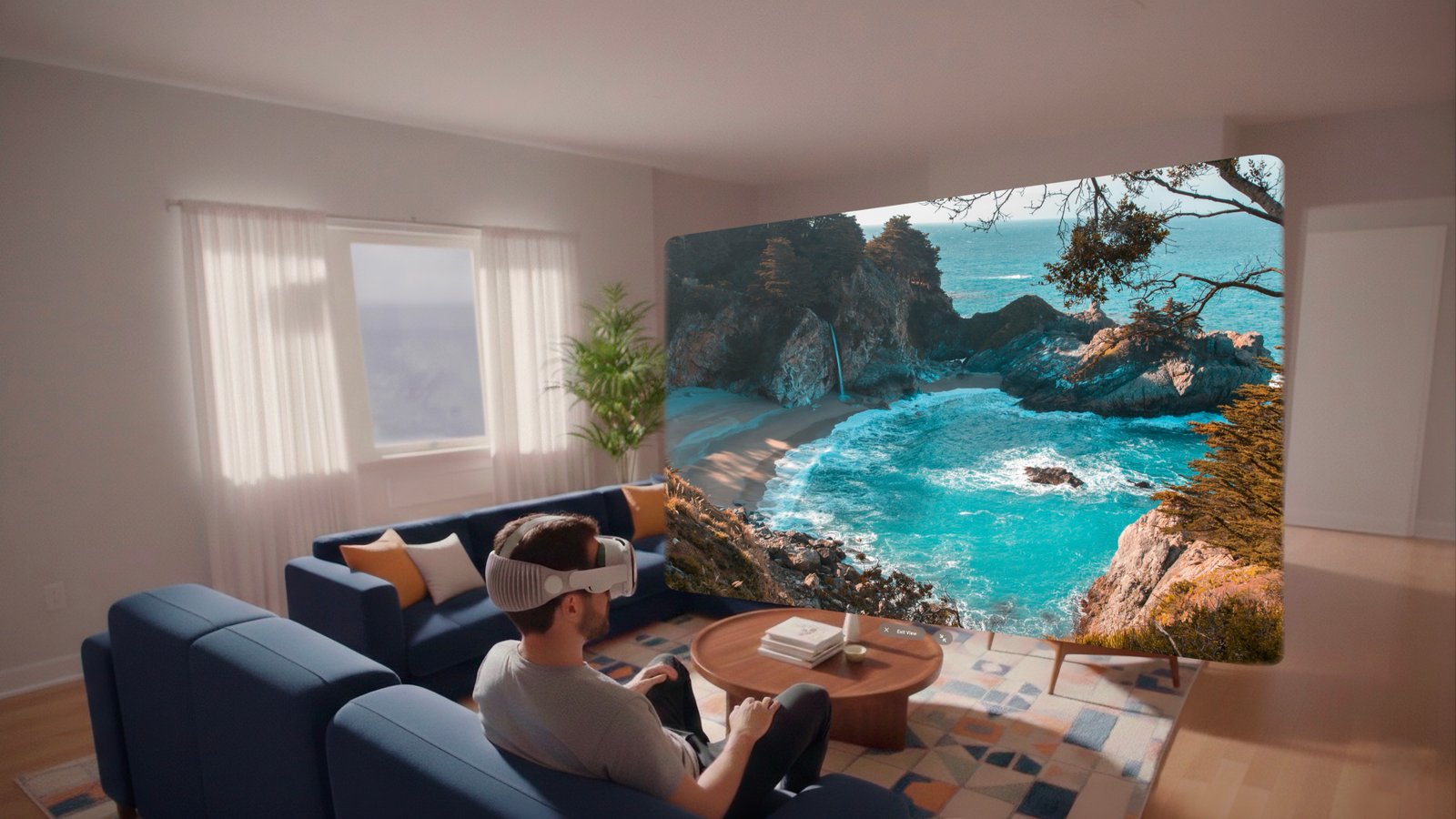
Monospatial builds immersive spatial apps for Apple Vision Pro — spatial photos & videos, panoramas, 180°/360° videos, and 360° photos crafted natively for the era of spatial computing.

Monospatial
Spatial · Immersive · Native
Spatial Photo
visionOS Native
360° Video
Apple Vision Pro
SwiftUI
Scroll to explore
Spatial
Format
Photos & Videos
360°
Format
Immersive Video & Photos
3
Apps
Across Platforms
Our Apps
visionOS · iOS · macOS

Our Apps

Expressif
Travel · Spatial Discovery
iOS · visionOS · macOS
Learn More ↗
Immersive Place Discovery

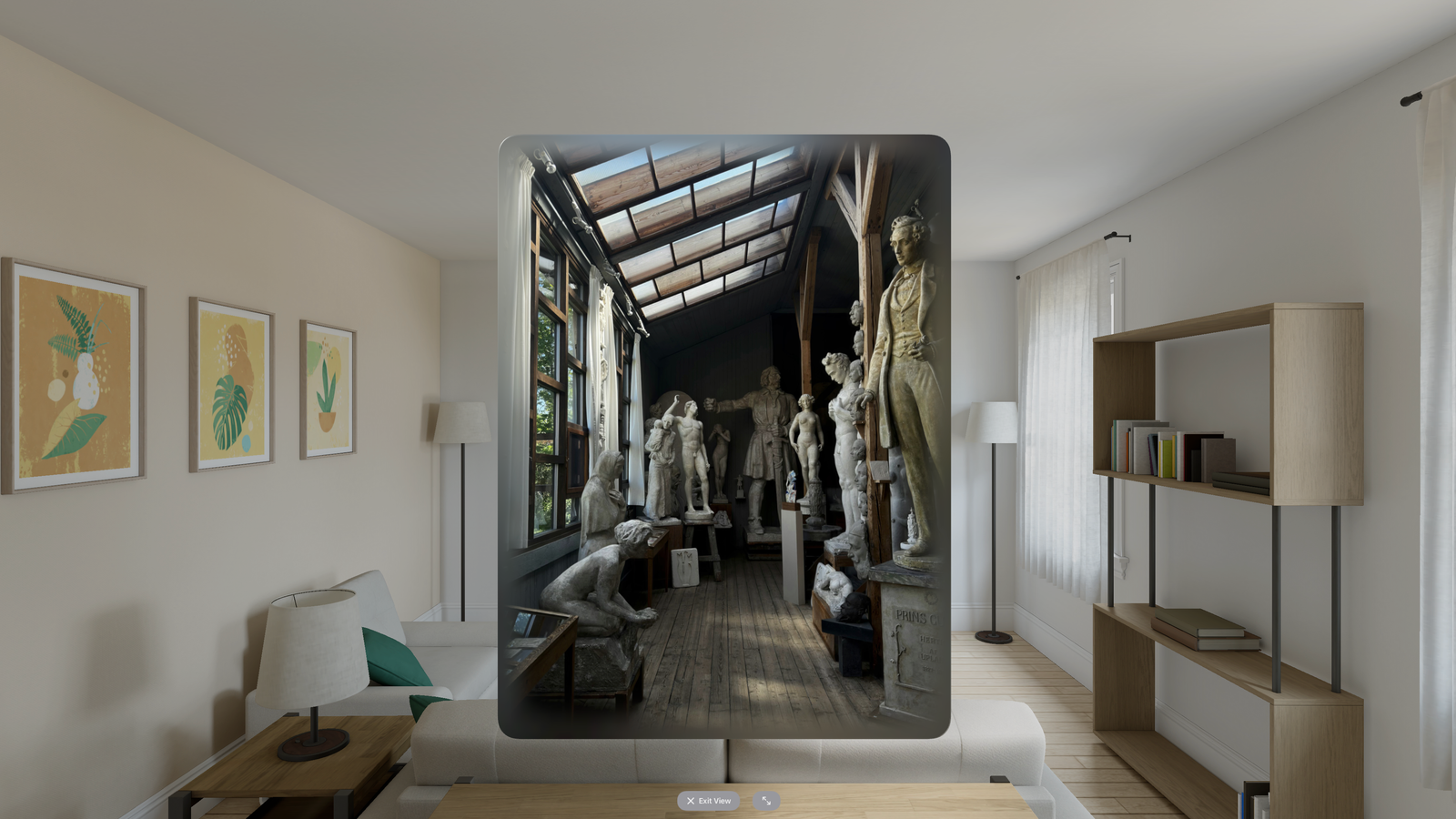
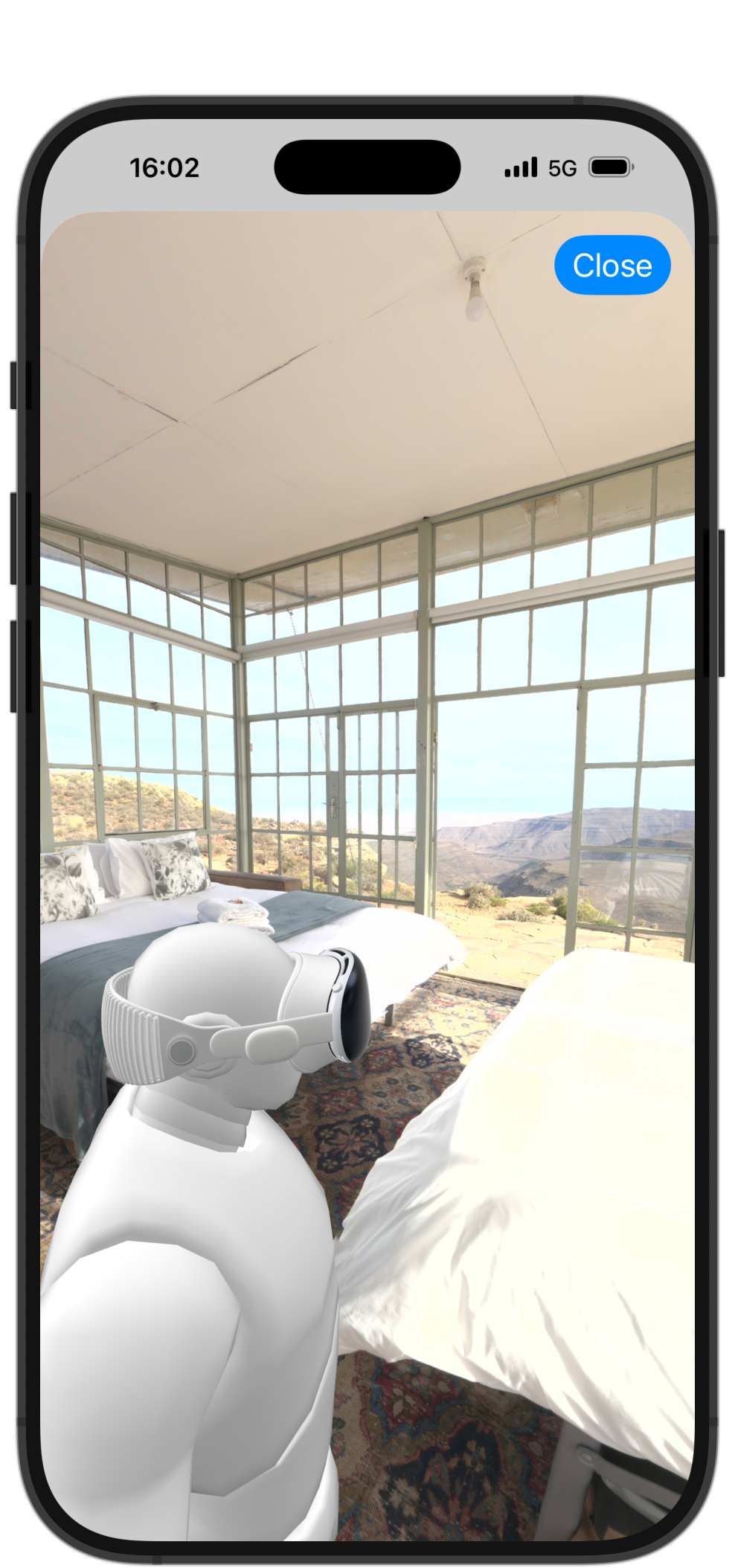
Discover restaurants, museums and shops through spatial photos and 360° videos on Apple Vision Pro.

Spatial Photos360° VideoFree
View on App StorePrivacy Policy ↗
Monito
Video Editing · iOS
iOS
Learn More ↗
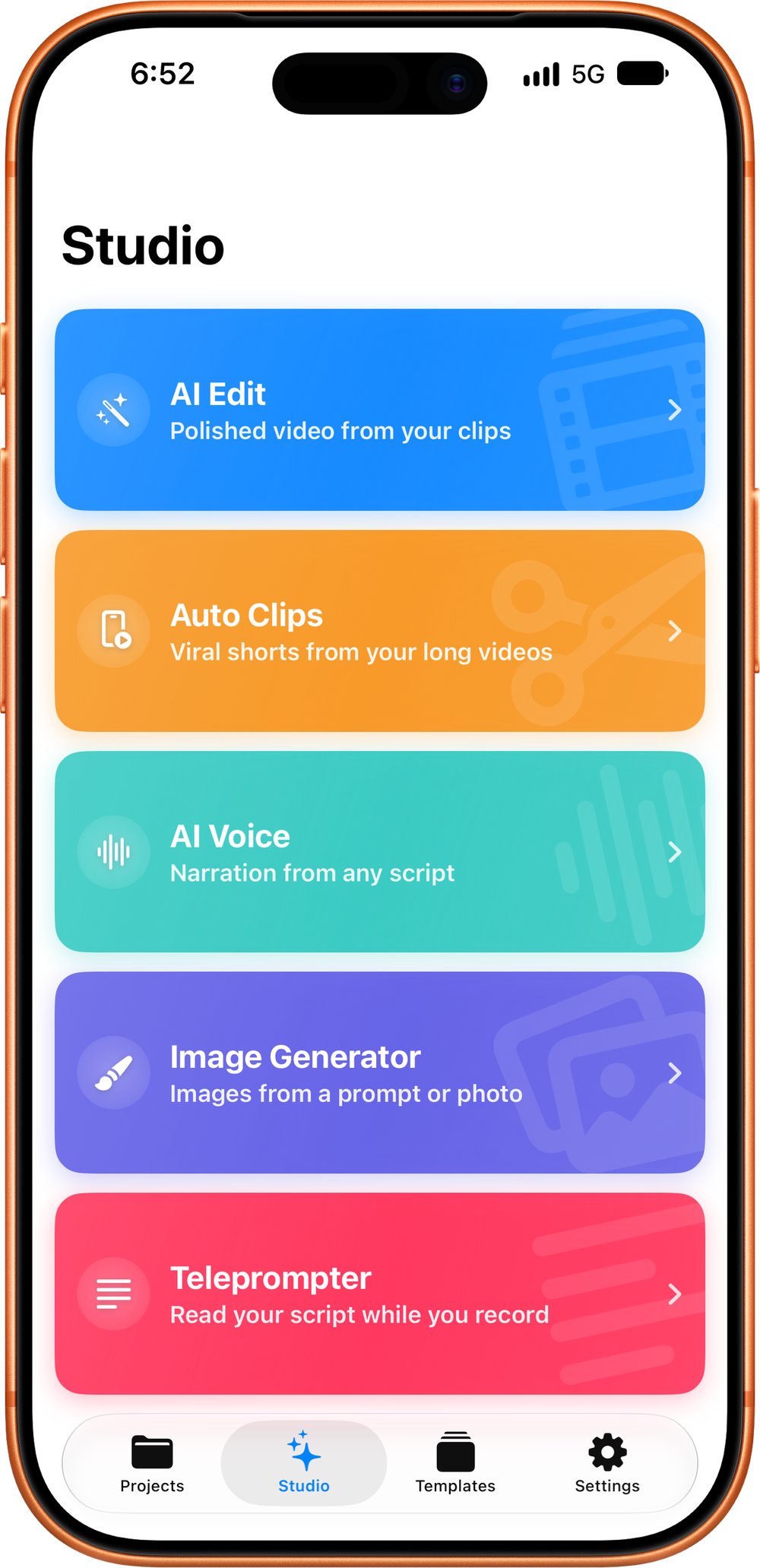
Professional Video Editor for iPhone & iPad.

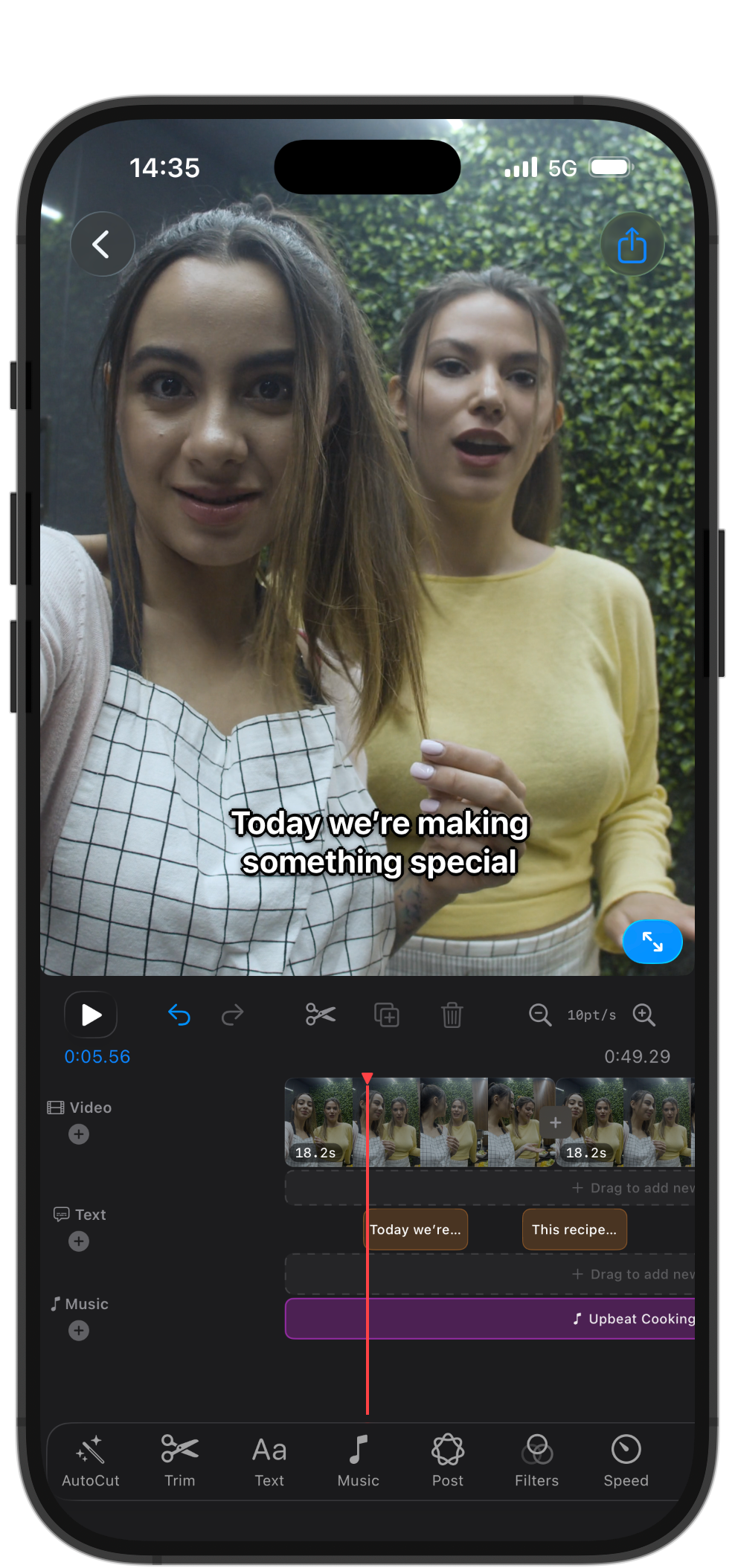
Edit, caption, and export videos with ease. Timeline editor, Auto Captions, AutoCut, filters, transitions, and more — all powered by Apple's built-in services.

Video EditorAuto CaptionsOn-Device
View on App StorePrivacy Policy ↗
Dansez
Nightclub · Spatial Music
visionOS
Learn More ↗
Your virtual nightclub on Vision Pro.

Step into an immersive nightclub experience on Apple Vision Pro. Connect your Apple Music and dance to the music you love.

NightclubApple MusicvisionOS
View on App StorePrivacy Policy ↗
Honest GIF Maker
Utilities · GIF Tool
iOS · visionOS · macOS
Learn More ↗
GIFs. No Subscriptions. No Ads.

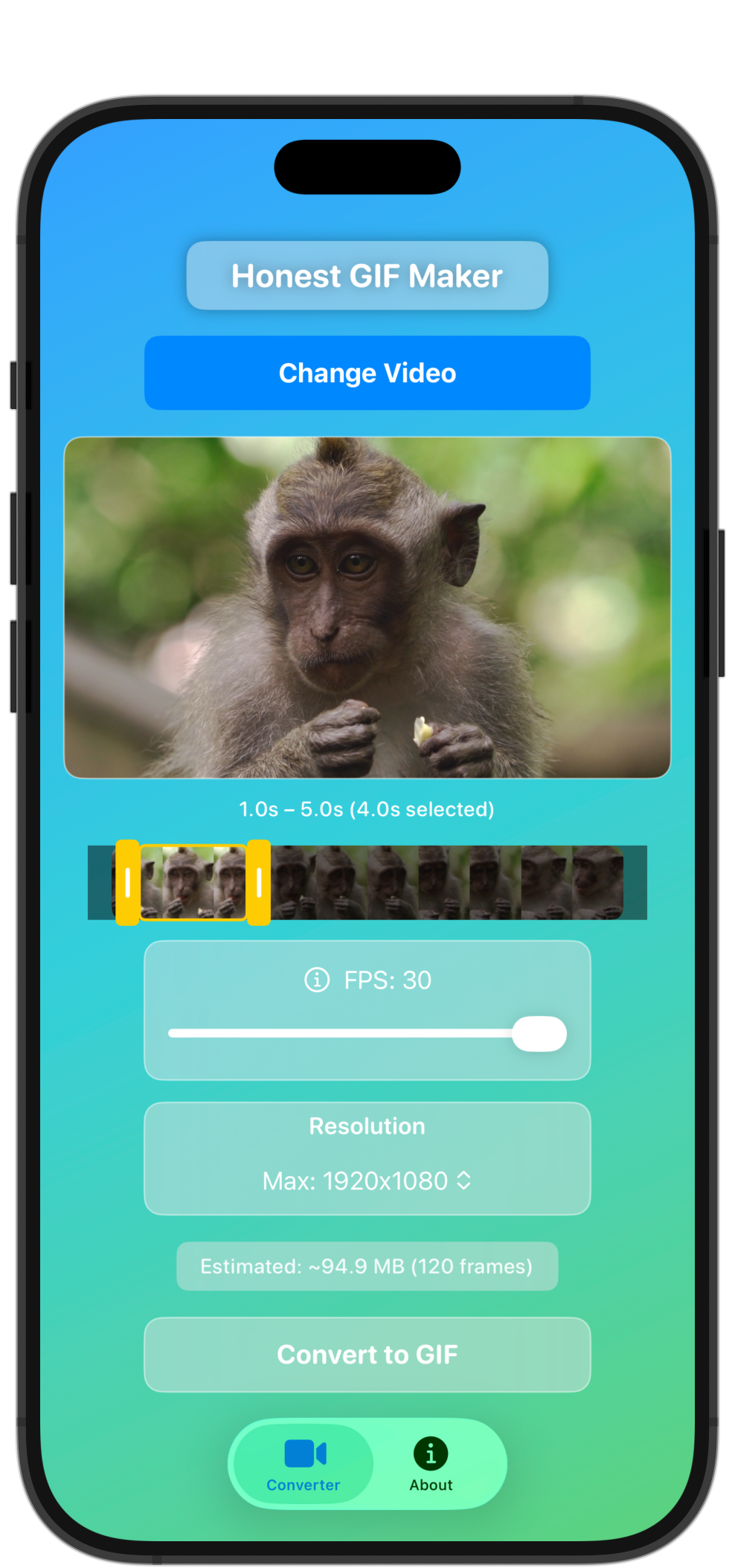
Convert videos to GIFs with trim controls, resolution picker, FPS slider, and live preview.

Video→GIFNo SubscriptionFamily Sharing
View on App StorePrivacy Policy ↗
About

Spatial apps.
Infinite possibilities.

Monospatial is an Apple developer studio focused on spatial computing — building immersive experiences for Apple Vision Pro and beyond.

The Practice

Monospatial is built around a single obsession — making people feel genuinely present somewhere else through spatial photos, videos, panoramas, and immersive 360° media.

The Philosophy

No shortcuts. No ports. Every app is built natively for visionOS — designed from the inside out for the platform.

"

"The goal isn't to build apps. It's to build worlds — ones you can step inside, look around, and feel like you were really there."

— Monospatial
visionOS
Native spatial development
SwiftUI
iOS · visionOS
180° / 360°
Spatial photo & video
RealityKit
3D · AR · Immersive
Contact

Let's talk
spatial.

Whether you're a business partner or an app user — we're here.

Get in touch
Let's build something spatial together.

Brand collaborations, licensing, press, partnerships, or custom spatial experiences. We read every message.

Twitter / X
@monospatial_
Brand Collaboration Licensing Press / Media Partnership Custom Experience Investment Other
App Support
Having an issue? We've got you.

Our support team reviews every request and typically responds within 24 hours. For billing issues contact Apple Support directly.

Response Time
Within 24 hours
Select a topic...
App crashes or won't open
Can't sign in or create account
Purchase not appearing
Subscription or billing question
Content not loading properly
Apple Vision Pro compatibility
Feature request or suggestion
Report a bug
Delete my account / data
Other
Expressif Dansez Honest GIF Maker
Journal

Notes from the
spatial frontier.

Thoughts on spatial computing, visionOS, and building spatial experiences.

Dev Notes
Feb 20265 min
Building a native 360° player in visionOS from scratch

What AVFoundation doesn't tell you about equirectangular projection.

Read article
Design
Jan 20265 min
Designing UI that disappears: spatial interface principles

When the content is a world, the UI has to get out of the way.

Read article
Business
Dec 20256 min
What I learned shipping apps on Apple platforms

Mistakes, shortcuts, and what actually mattered.

Read article
Tools
Nov 20253 min
The spatial media capture stack I use in 2025

Gear, processing tools, and software for 180° and 360° content.

Read article
iOS · visionOS · macOS
Expressif

Expressif

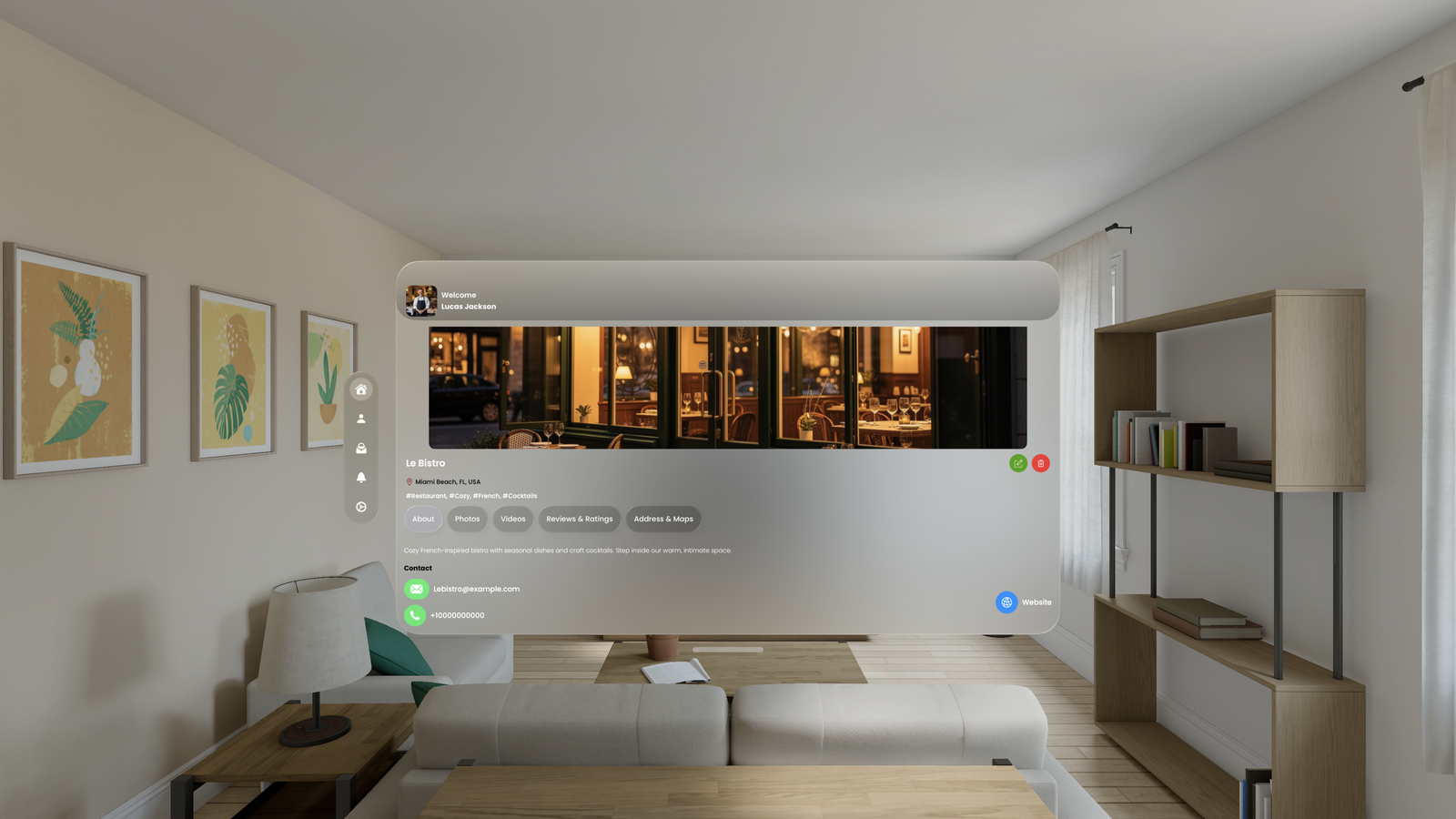
The best immersive application. Experience restaurants, museums, and shops in stunning 3D immersion.

Spatial PhotosSpatial Videos360° Photos360° VideosPanoramasFree
Expressif on Apple Vision Pro
Step inside real places. Explore.

Expressif serves two audiences — users who want to discover places immersively, and businesses who want to showcase their spaces to the world.

For Users
Discover & Explore
  • Browse immersive spatial content on Vision Pro
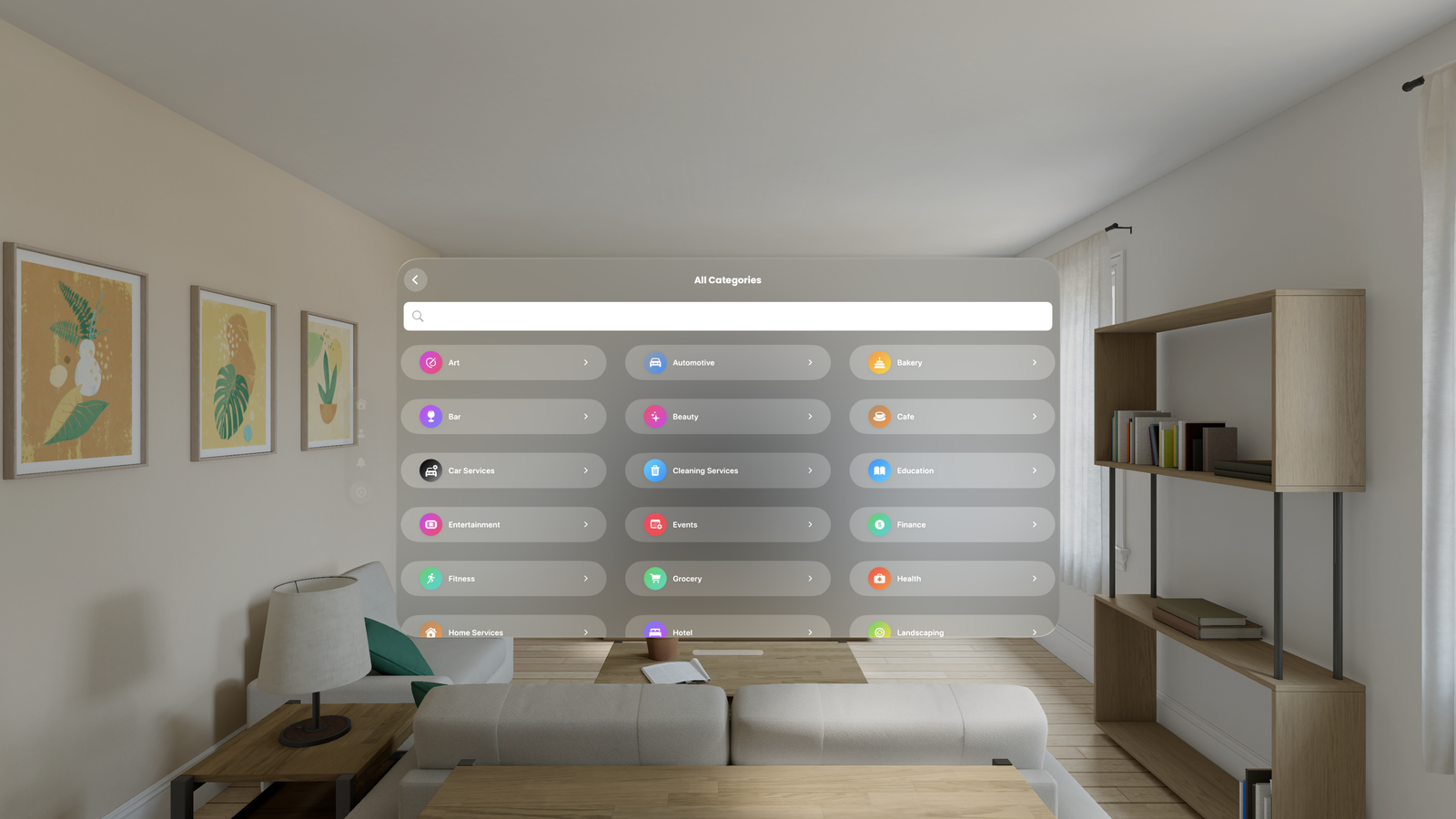
  • Discover restaurants, museums, hotels, shops
  • Rate locations and provide feedback
  • Access content on both visionOS and iOS
  • Free to browse, explore, and rate
For Businesses
Showcase & Grow
  • Stand out with immersive previews
  • Build excitement and customer trust
  • Drive more visits and bookings
  • Collect valuable user ratings and feedback
  • Flexible pricing — free tier included
On visionOS

The full immersive experience — step inside real places on Apple Vision Pro.

On iOS

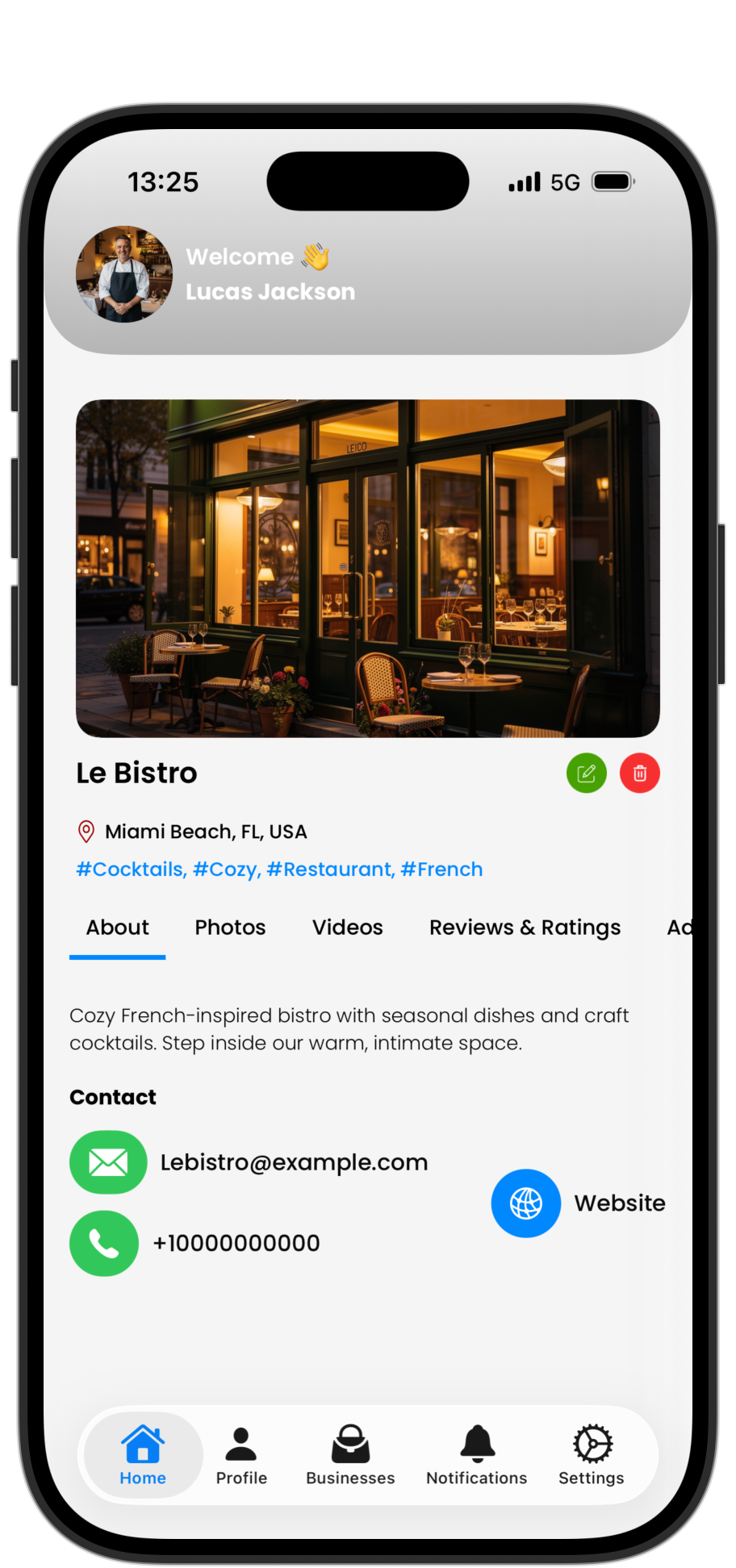
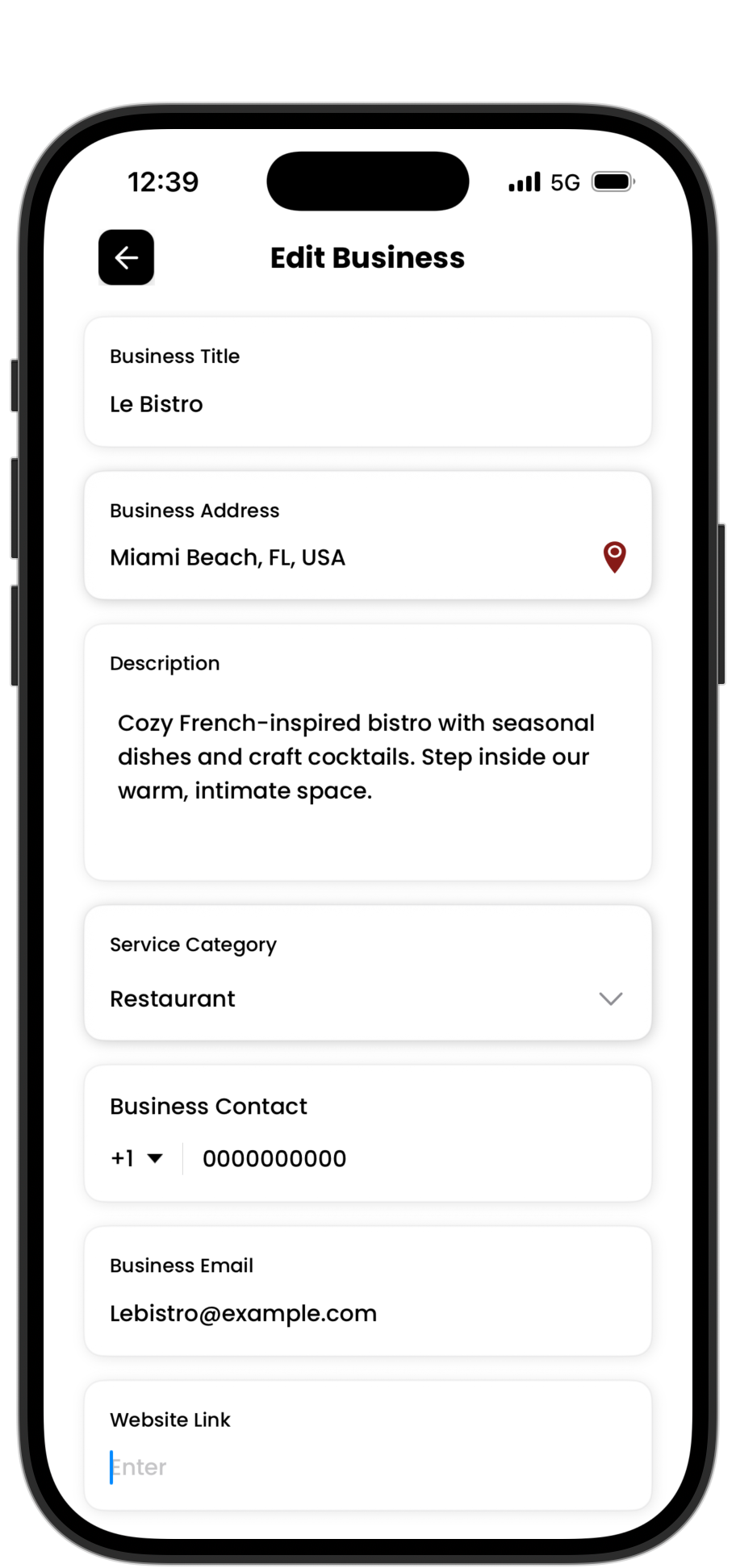
Manage your business profile, upload content, and browse places on iPhone.

Expressif on iOS — Browse
Browse
Expressif on iOS — Discover
Discover
Expressif on iOS — Manage
Manage
Every format. Every angle.

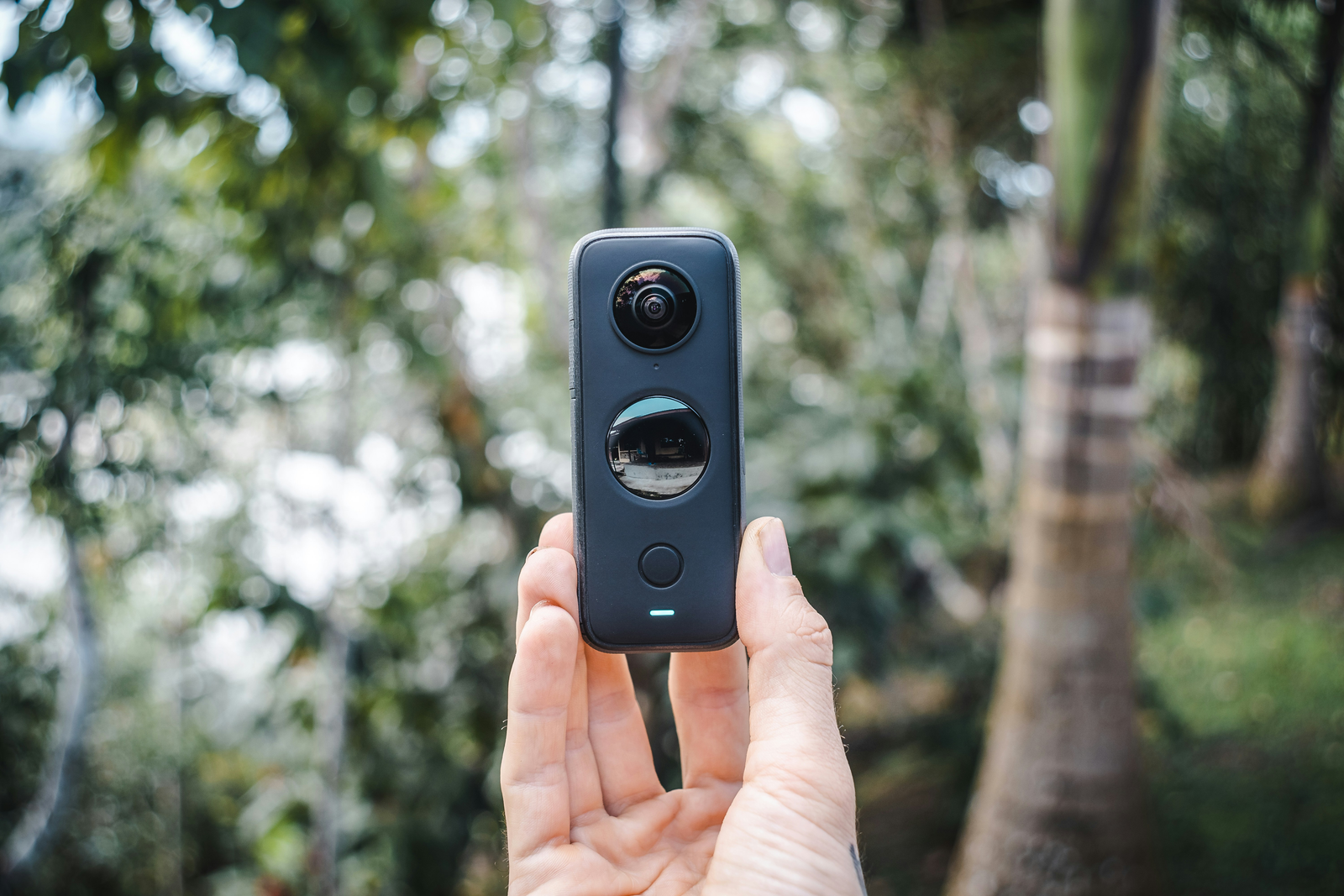
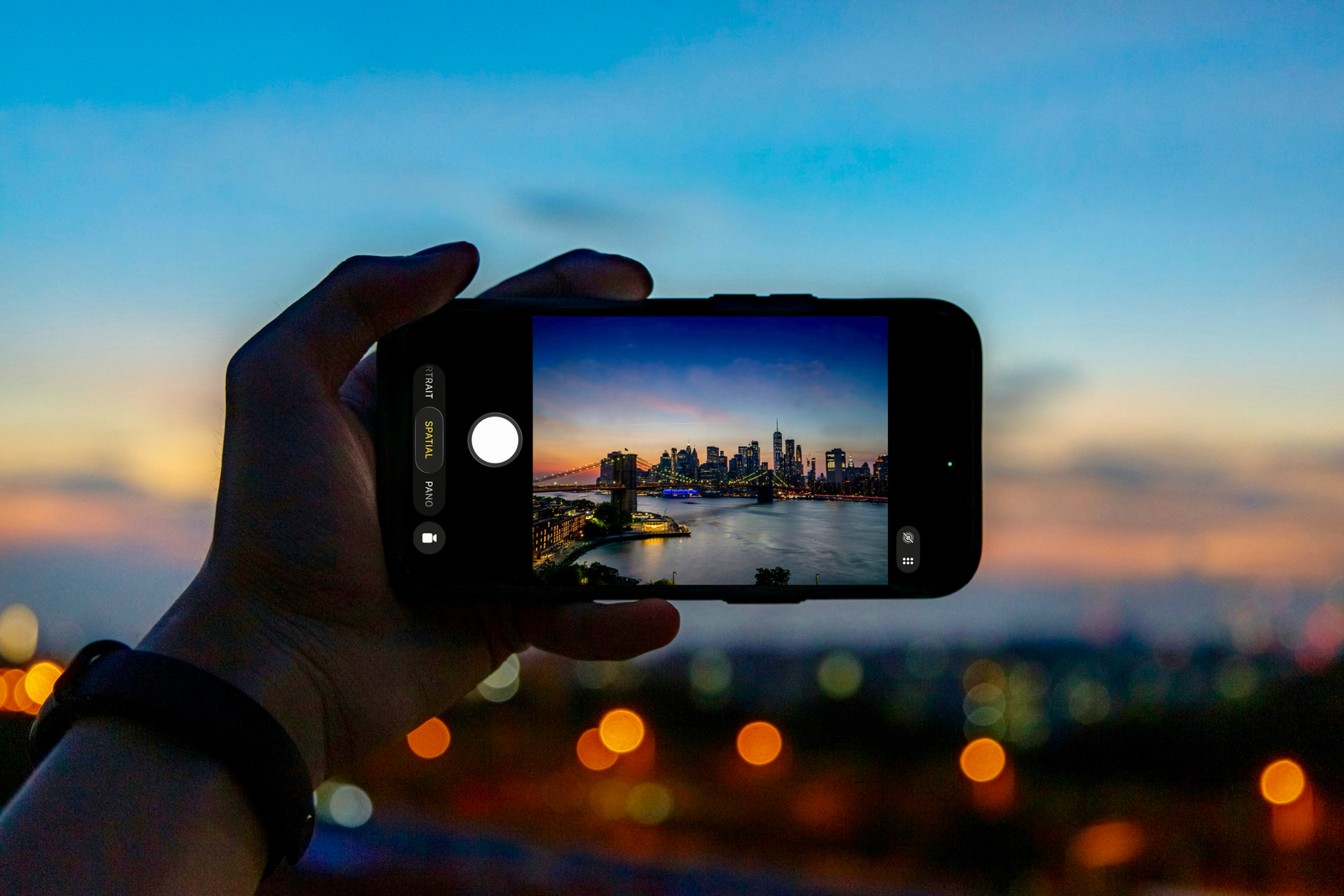
Capture with dedicated 360° cameras, iPhone, or Apple Vision Pro. Expressif supports them all.

Spatial Photos Spatial Videos 360° Photos 360° Videos Panoramas
Dedicated 360° Cameras
Dedicated Cameras

Use dedicated cameras to capture 360° photos and videos. Create immersive content that allows viewers to experience a scene from all angles.

iPhone & Vision Pro
iPhone & Vision Pro

Capture stunning spatial photos and immersive videos as well as breathtaking panoramas effortlessly using the camera app.

Questions? Answers.

Everything you need to know about Expressif.

What is Expressif?+
Expressif is an immersive discovery platform built for Apple Vision Pro. Businesses and professionals share spatial photos, spatial videos, 360° photos, and videos to showcase their spaces in vivid 3D — while users explore locations through immersive experiences.
Who uses Expressif?+
Two user groups benefit: businesses like restaurants, museums, hotels, shops, salons, and studios seeking to showcase their spaces immersively — and Apple Vision Pro owners plus iPhone users discovering and exploring places through spatial content.
How does it benefit businesses?+
Stand out with immersive previews. Build excitement and trust through virtual walkthroughs. Drive more visits and bookings. Collect valuable user ratings and feedback. Flexible pricing including a free tier — particularly valuable for reaching Vision Pro early adopters.
Is Expressif available on iOS?+
The iOS app is primarily designed for businesses to manage their profile and upload content. Users can also access iPhone viewing for most immersive content, though spatial videos can't be fully replicated but can still be viewed in 2D.
Is it free to use?+
Users enjoy free browsing, exploration, and rating capabilities. Businesses receive a complimentary plan with one photo; premium and elite tiers unlock additional photos, videos, and advanced features.
visionOS Exclusive
Dansez

Dansez

Your virtual nightclub on Apple Vision Pro. Step into an immersive club and dance to your music.

NightclubApple MusicImmersivevisionOS Only
Dansez on Apple Vision Pro
The Experience

Dansez transforms your space into a nightclub. Connect Apple Music, pick a vibe, and let the lights move with you.

YOUR MUSIC
Apple Music Integration
  • Connect your Apple Music library
  • Play any song, playlist, or album
  • Reactive visuals sync to the beat
YOUR SPACE
Immersive Environments
  • Full immersive club environments
  • Dynamic lighting and effects
  • Built natively for visionOS
See it in action
Questions? Answers.

Everything you need to know about Dansez.

What is Dansez?+
Dansez is a virtual nightclub experience built exclusively for Apple Vision Pro. It transforms your space into an immersive club with dynamic lighting and reactive visuals.
Do I need Apple Music?+
Yes, Dansez integrates with Apple Music so you can play your own songs, playlists, and albums. The visuals and lighting react to whatever you're listening to.
Does it work on iPhone or iPad?+
No — Dansez is built exclusively for Apple Vision Pro and requires visionOS. The full immersive experience is only possible on spatial hardware.
Is it free?+
Dansez is free to download on the App Store. Try it out and step into the club.
iOS · visionOS · macOS
Honest GIF Maker

Honest GIF Maker

GIFs. No subscriptions. No ads. One-time purchase, unlimited conversions.

$4.99 One-TimeNo SubscriptionNo WatermarksFamily Sharing
Honest GIF Maker
Simple by design

Import a video, trim, adjust, and export a perfect GIF. That's it.

THE TOOL
What You Get
  • Convert any video to GIF
  • Trim clips with precision
  • Adjust resolution and frame rate
  • Real-time preview before export
  • No watermarks, no limits
THE DEAL
Pay Once, Own Forever
  • $4.99 — one-time purchase
  • No subscription, no hidden fees
  • Family Sharing for up to 6 people
  • Works on iPhone, iPad, Mac, and Vision Pro
  • Universal purchase — buy once, use everywhere
Questions? Answers.

Everything you need to know about Honest GIF Maker.

What does Honest GIF Maker do?+
It converts videos into GIFs. Trim the clip, pick your resolution and frame rate, preview in real time, then export. Clean, fast, and honest — no upsells, no watermarks, no limits.
Why is it called "Honest"?+
Most GIF apps hide basic features behind subscriptions or add watermarks. Honest GIF Maker does everything for a single $4.99 purchase. What you see is what you get.
Does it support Family Sharing?+
Yes. One purchase covers up to six family members through Apple Family Sharing. Buy once, everyone benefits — forever.
What video formats can I import?+
MOV, MP4, and any format supported by iOS Photos. Import directly from your camera roll.
Is there a file size or export limit?+
No artificial limits. Export quality depends on your clip length and resolution settings. The app recommends optimal settings to keep files shareable.
Does it work on Mac?+
Yes. Honest GIF Maker is a universal purchase and runs natively on Mac.
iOS 18+
Monito

Monito

Professional video editing on iPhone and iPad. Edit, caption, and export - no account needed.

Video EditorAuto CaptionsAutoCutFilters
Monito Video Editor
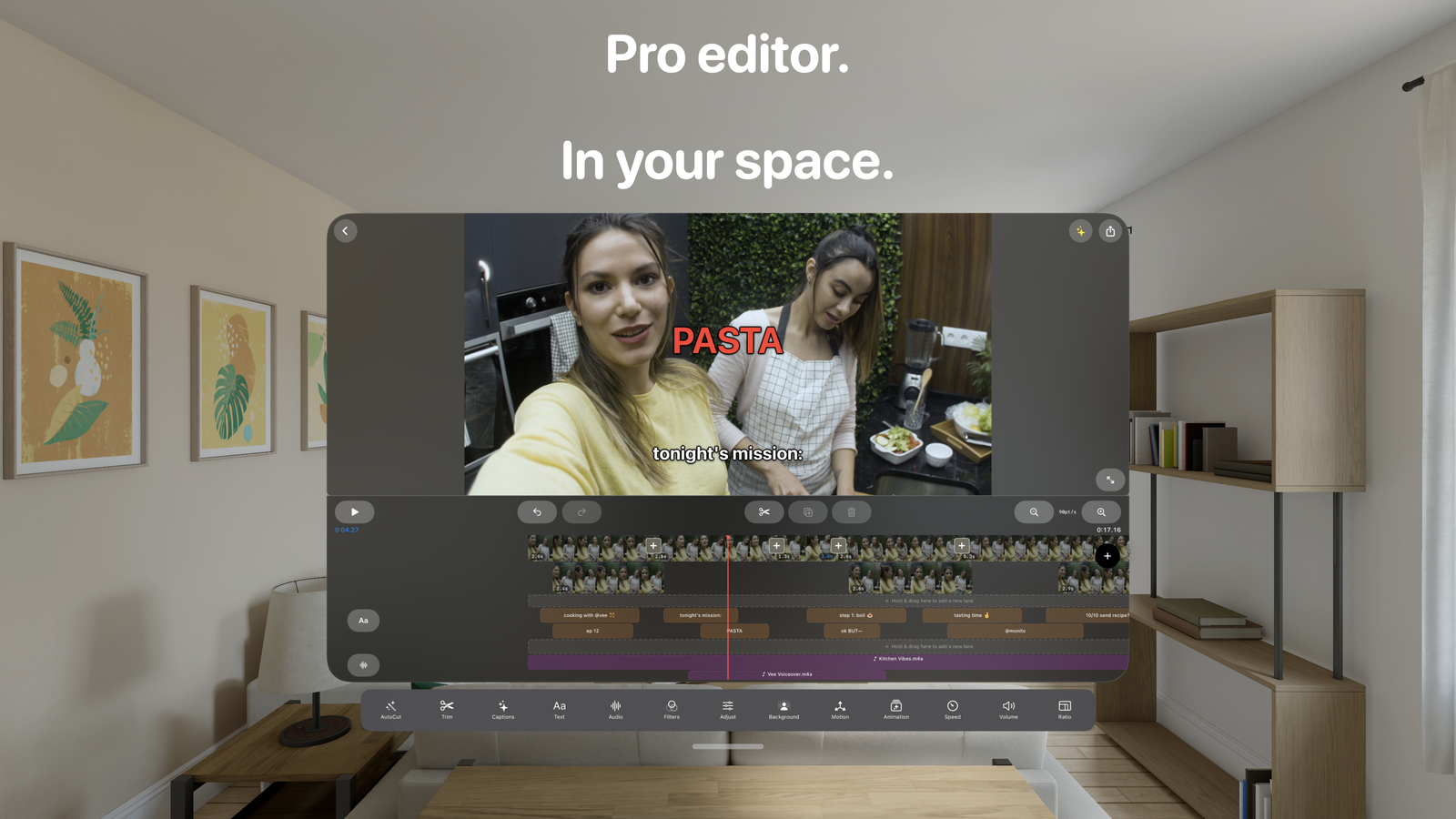
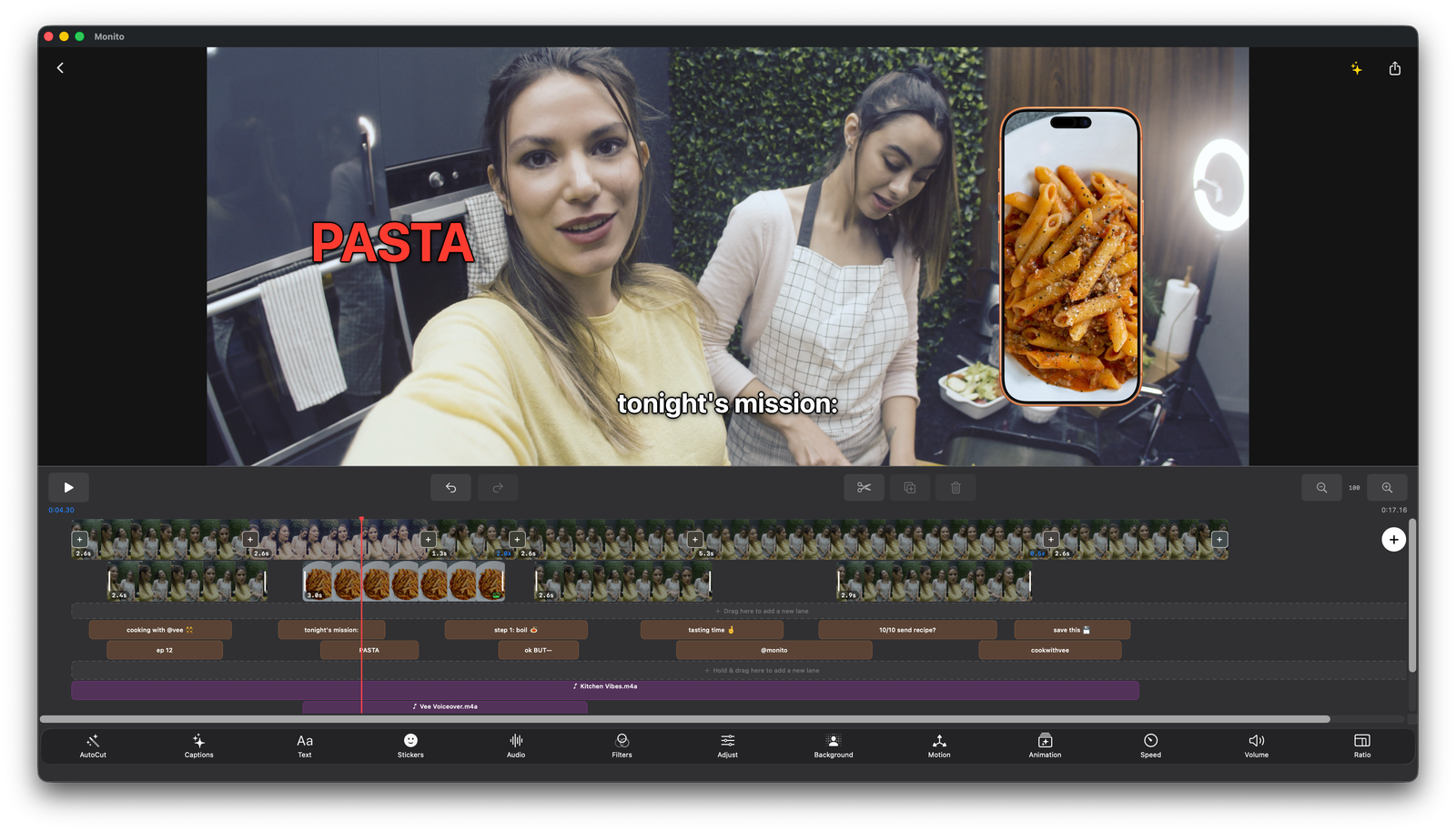
Edit with precision

A multi-track timeline with everything you need to craft professional videos — right on your phone.

TIMELINE
Full Editing Suite
  • Multi-track timeline with drag-and-drop
  • Trim, split, and snap-to-grid precision
  • Picture-in-Picture overlays
  • Speed control — 0.25x to 4x
  • Text overlays with frame-level timing
ENHANCE
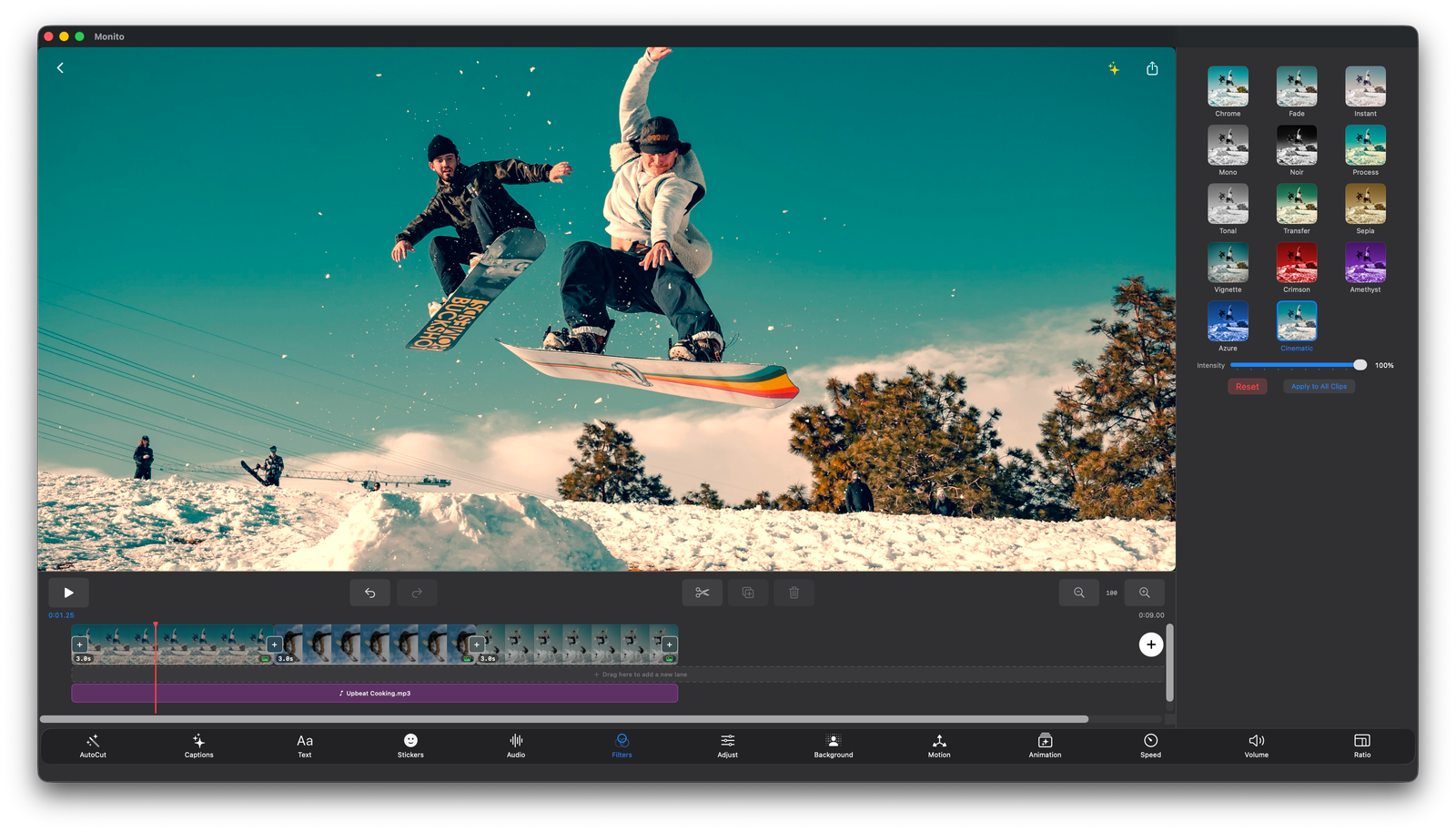
Filters & Transitions
  • Professional filters with adjustable intensity
  • Dissolve, Slide, Wipe, and Zoom transitions
  • Music & audio mixing with fade controls
  • 6 aspect ratios including 9:16 for Reels
  • Built-in templates for Vlogs, Reels, and more
Smart features. Zero third-party servers.

Auto Captions, AutoCut, and AI Titles — all powered by Apple's built-in services. No accounts, no third-party servers.

AUTO CAPTIONS
40+ Languages
  • Speech recognition generates accurate captions
  • Customize font, size, color, background, and position
  • Shadow and outline styling options
AUTOCUT
Remove Silence Automatically
  • Detects and removes silences or no-speech sections
  • Three sensitivity levels
  • Adjustable padding for precise cuts
Export & pricing

Export in up to 4K with no watermark. Free tier available — Monito Pro unlocks everything.

EXPORT
Professional Output
  • 720p, 1080p, or 4K resolution
  • HEVC or H.264 codec
  • 24, 25, 30, or 60 fps
  • No watermark on any export
MONITO PRO
Unlock Everything
  • 4K export
  • Unlimited auto captions
  • Unlimited AutoCut
  • Unlimited templates and daily exports
Questions? Answers.

Everything you need to know about Monito.

What is Monito?+
Monito is a professional video editing app for iPhone and iPad. Edit, add captions, apply filters, and export videos — no accounts, no third-party servers.
Does Monito upload my videos to the cloud?+
All features rely entirely on Apple's built-in services. No accounts required. No third-party analytics or tracking.
What are Auto Captions?+
Auto Captions use Apple's built-in speech recognition to generate accurate subtitles in 40+ languages. You can fully customize the font, size, color, background, shadow, outline, and position.
What is AutoCut?+
AutoCut automatically detects and removes silent sections or parts with no speech. Choose from three sensitivity levels and adjust padding for precise results.
Is Monito free?+
Monito offers a free tier with limited daily exports and feature uses. Monito Pro (subscription) unlocks 4K export, unlimited auto captions, unlimited AutoCut, unlimited templates, and unlimited daily exports.
What devices does Monito support?+
Monito runs on iPhone and iPad with iOS 18+.