Native by nature.

Monospatial builds creative apps for iPhone, iPad, Mac, and Apple Vision Pro.

Our Apps

Three apps, each built natively for the devices it runs on. Tap a card to learn more.

Monito screenshotAI Video Editing · Made for Creators
iOS · visionOS · macOS
The AI Video Editor for iPhone, iPad, Mac & Vision Pro.

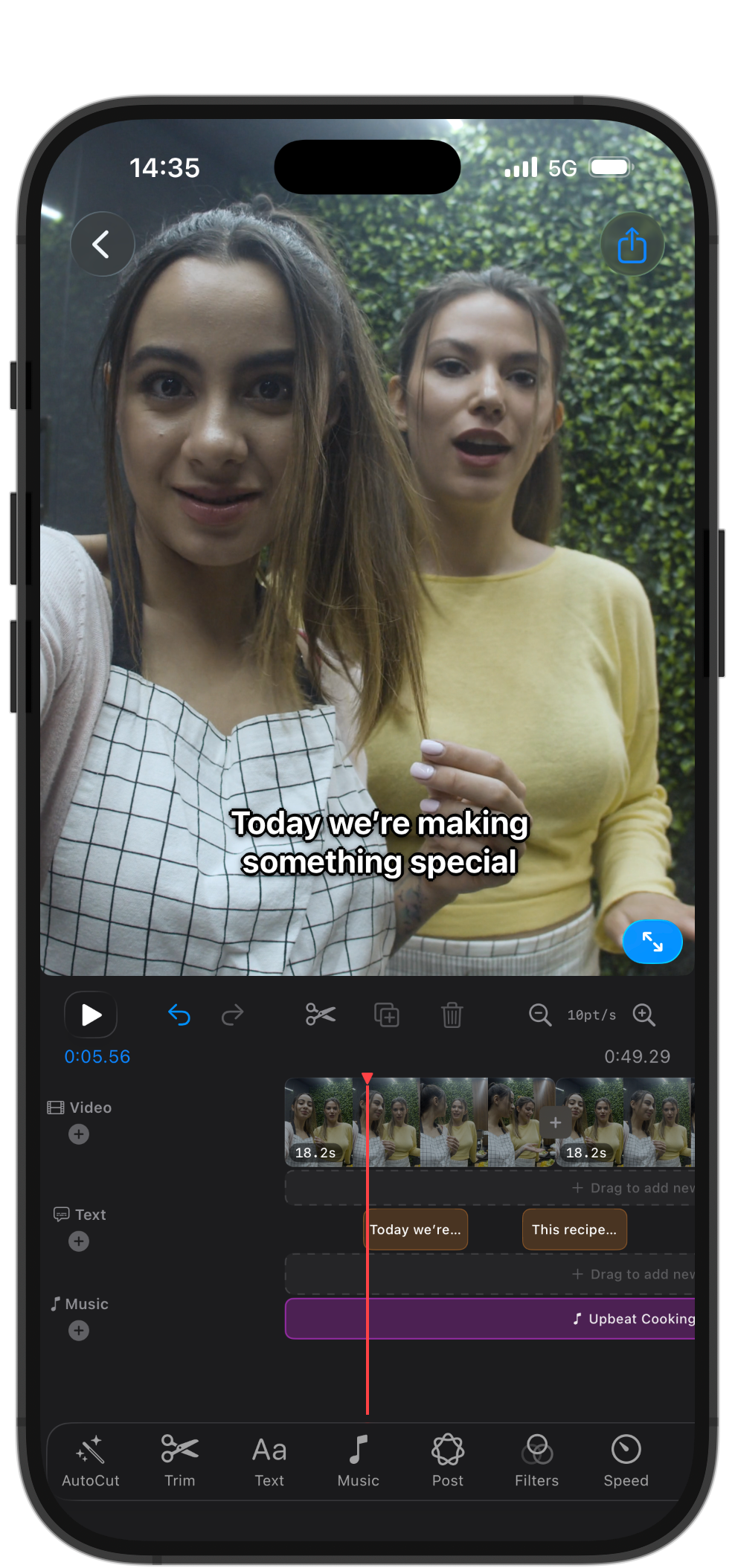
AI Edit turns your clips into a polished video. Auto Clips pulls viral shorts from long footage.

AI EditAuto ClipsAuto Captions
Dansez screenshotNightclub · Spatial Music
visionOS
Your virtual nightclub on Vision Pro.

Step into an immersive nightclub experience on Apple Vision Pro. Connect your Apple Music and dance to the music you love.

NightclubApple MusicvisionOS
Honest GIF Maker screenshotUtilities · GIF Tool
iOS · visionOS · macOS
GIFs. No Subscriptions. No Ads.

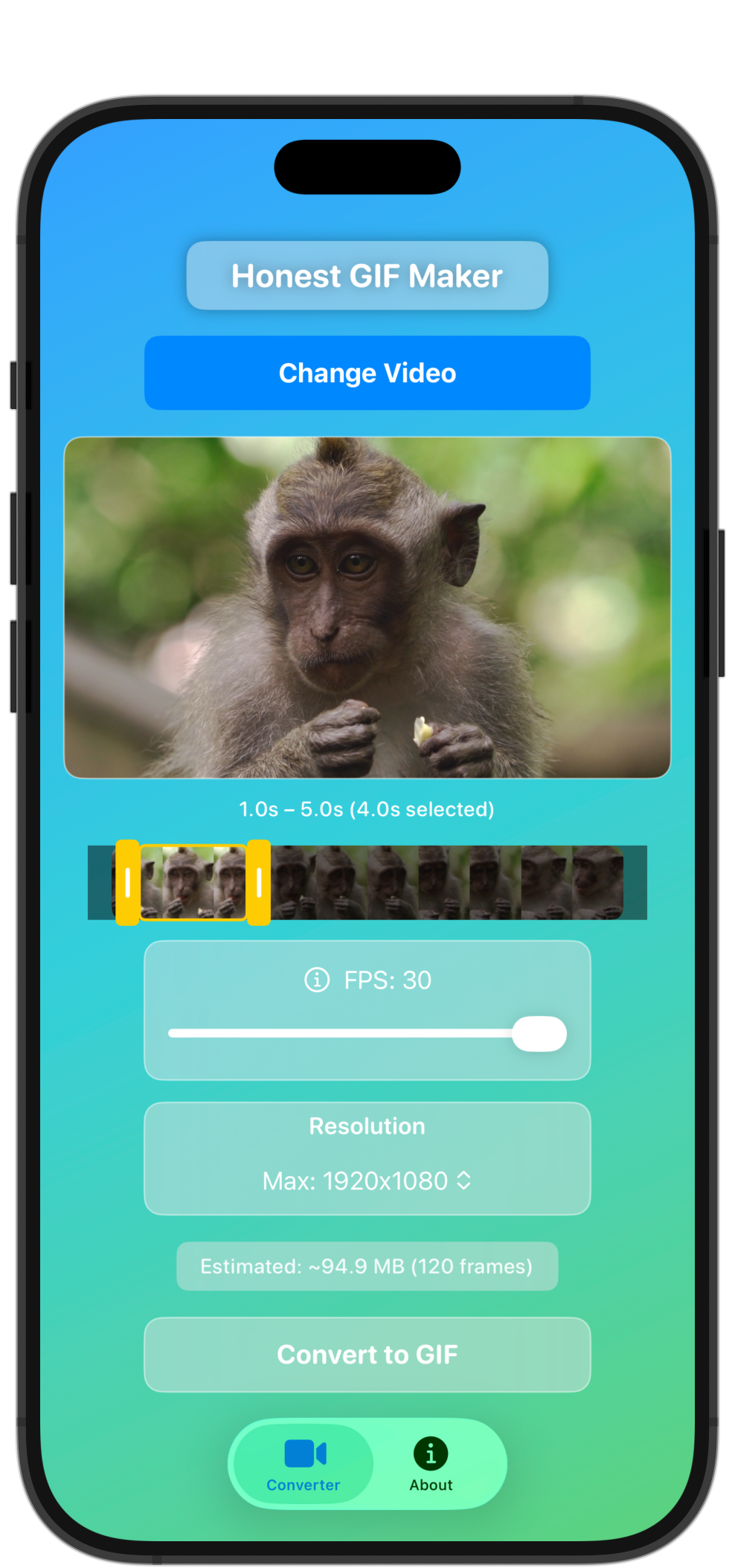
Convert videos to GIFs with trim controls, resolution picker, FPS slider, and live preview.

Video→GIFNo SubscriptionFamily Sharing
About

Native apps.
Infinite possibilities.

Monospatial builds AI-powered creative tools and spatial experiences for iPhone, iPad, Mac, and Apple Vision Pro.

The Practice

Monospatial is built around a single obsession, software that feels genuinely alive, whether you're stepping inside an immersive world on Vision Pro or editing video with AI on iPhone.

The Philosophy

No shortcuts. No lazy ports. Every app is built natively for its platform, designed from the inside out for how Apple devices actually work.

"

"The goal isn't to ship apps. It's to build experiences you want to live inside, ones that feel immersive, effortless, and genuinely yours."

Monospatial
visionOS
Native spatial development
SwiftUI
iOS · macOS · visionOS
AI / ML
Video & creative tools
RealityKit
3D · AR · Immersive
Contact

Let's
talk.

Whether you're a business partner or an app user, we're here.

Get in touch
Let's build something spatial together.

Brand collaborations, licensing, press, partnerships, or custom app and immersive experiences. We read every message.

Instagram · Monospatial
@monospatial ↗
Instagram · Monito
@monitoaivideoeditor ↗
Brand Collaboration Licensing Press / Media Partnership Custom Experience Investment Other
App Support
Having an issue? We've got you.

Our support team reviews every request and typically responds within 24 hours. For billing issues contact Apple Support directly.

Response Time
Within 24 hours
Select a topic... ›
App crashes or won't open
Purchase not appearing
Subscription or billing question
Content not loading properly
Apple Vision Pro compatibility
Feature request or suggestion
Report a bug
Other
Monito Dansez Honest GIF Maker
Journal

Notes from the
spatial frontier.

Thoughts on spatial computing, visionOS, AI, and building great apps for Apple platforms.

Dev Notes
Feb 20265 min
Sharing one SwiftUI codebase across iPhone, iPad, and visionOS

What it takes to build natively for every Apple platform without cutting corners.

Design
Jan 20265 min
Designing UI that disappears

When the content is the experience, the interface has to get out of the way.

Business
Dec 20256 min
What I learned shipping apps on Apple platforms

Mistakes, shortcuts, and what actually mattered.

Tools
Nov 20253 min
The AI tools shaping how we edit video in 2026

How on-device and cloud models are speeding up real creative work.

iOS · visionOS · macOS
Expressif

Expressif

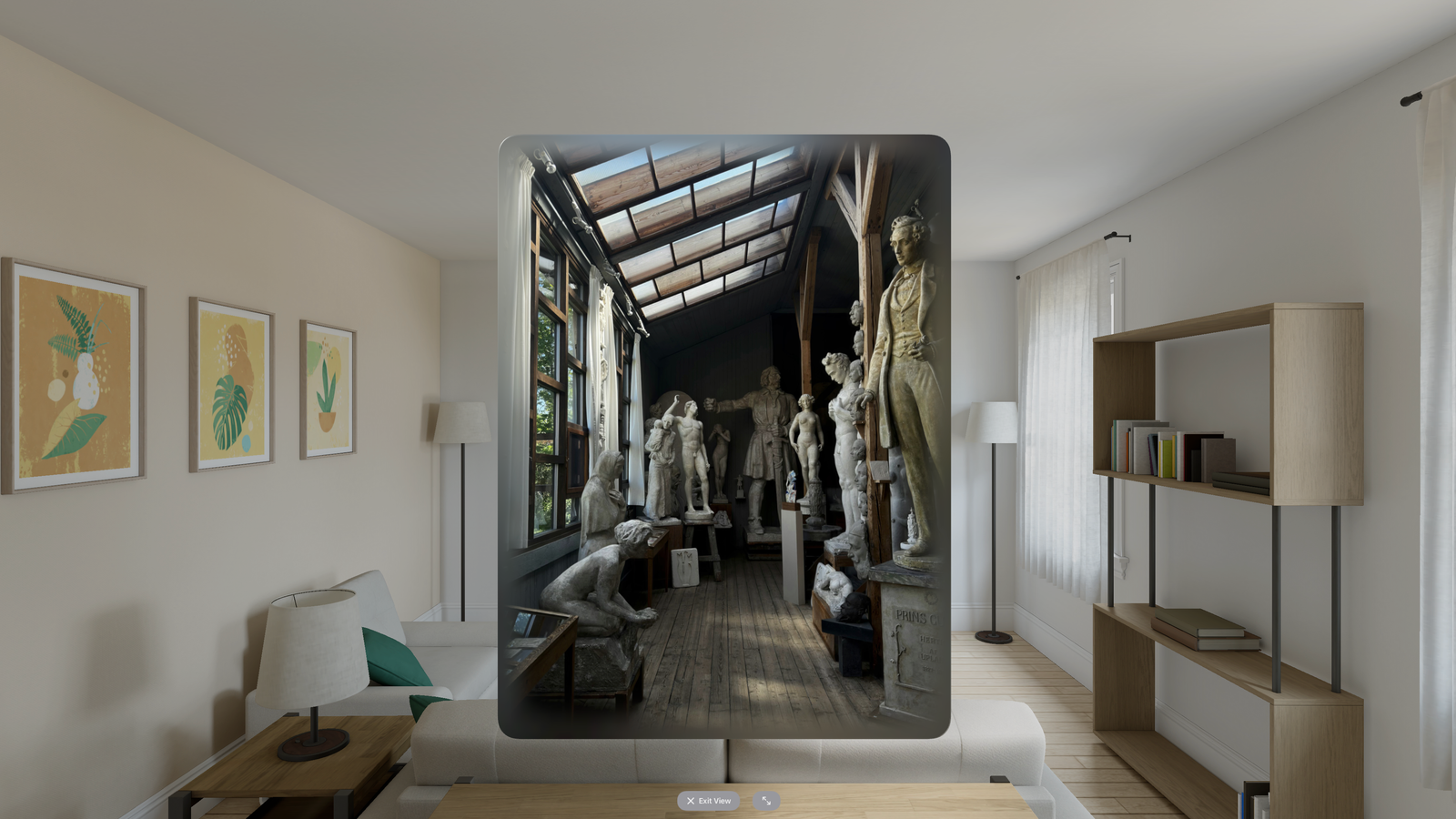
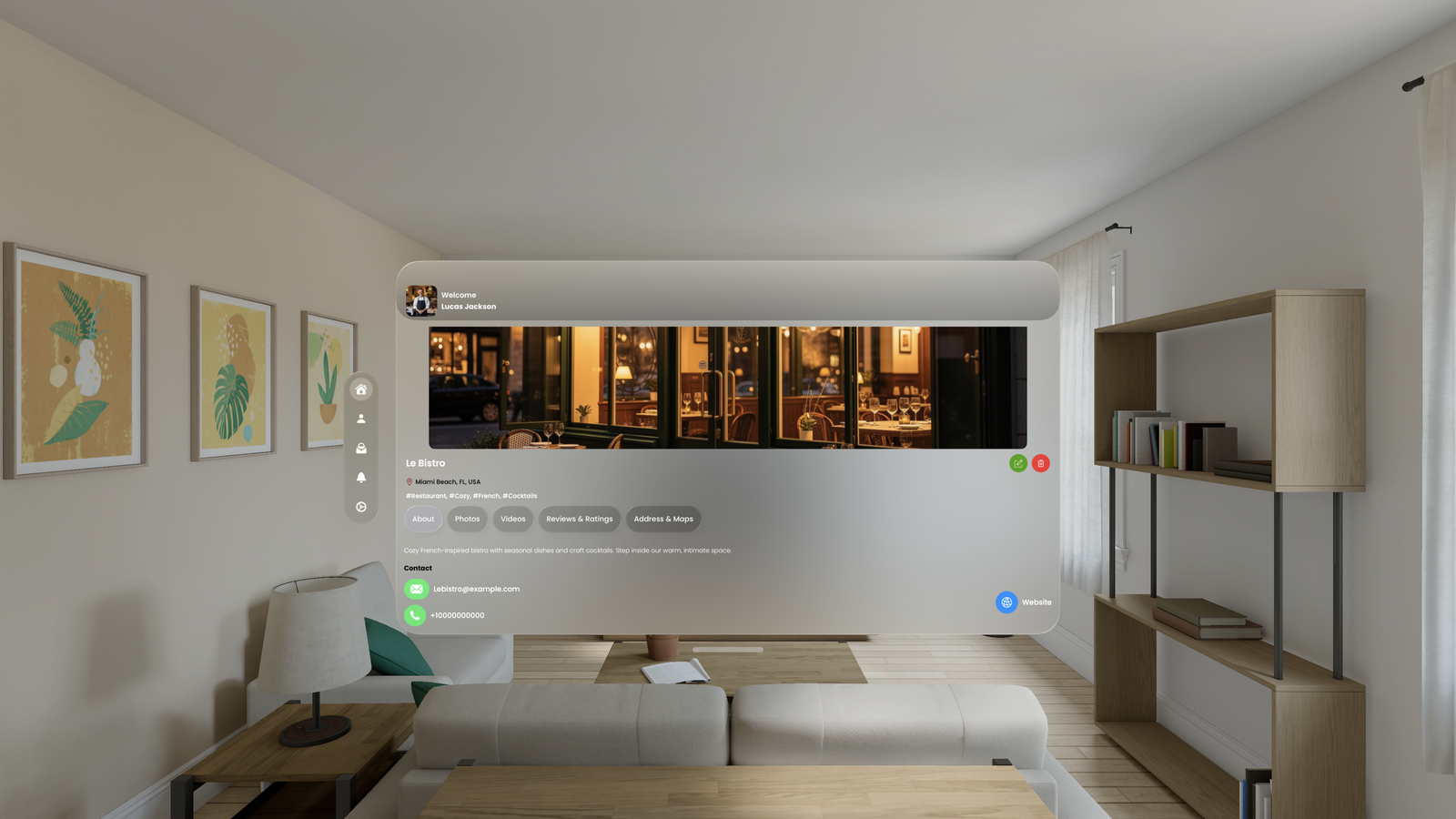
The best immersive application. Experience restaurants, museums, and shops in stunning 3D immersion.

Spatial PhotosSpatial Videos360° Photos360° VideosPanoramasFree
Expressif on Apple Vision Pro
Step inside real places. Explore.

Expressif serves two audiences: users who want to discover places immersively, and businesses who want to showcase their spaces to the world.

For Users
Discover & Explore
  • Browse immersive spatial content on Vision Pro
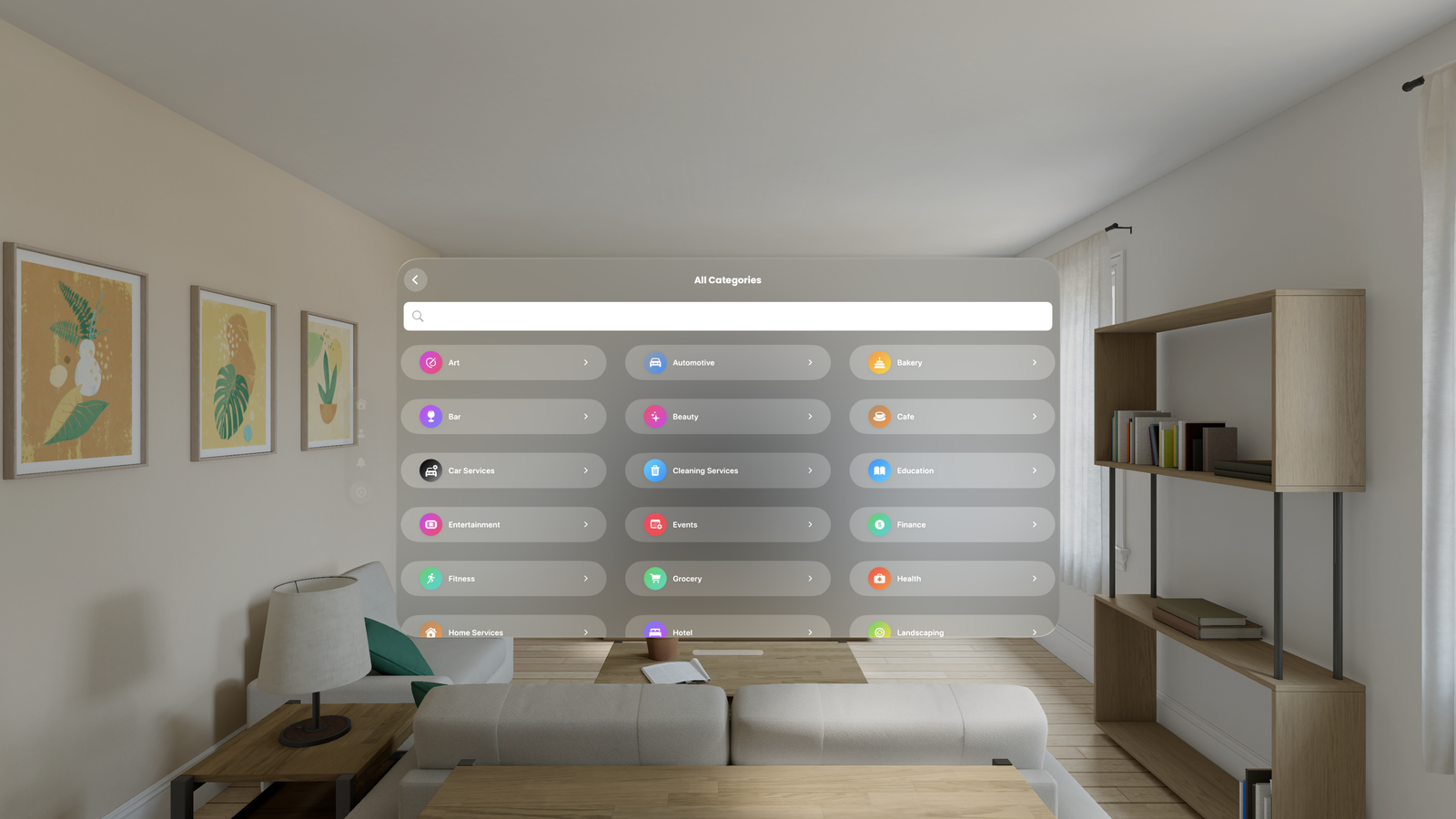
  • Discover restaurants, museums, hotels, shops
  • Rate locations and provide feedback
  • Access content on both visionOS and iOS
  • Free to browse, explore, and rate
For Businesses
Showcase & Grow
  • Stand out with immersive previews
  • Build excitement and customer trust
  • Drive more visits and bookings
  • Collect valuable user ratings and feedback
  • Flexible pricing, free tier included
On visionOS

The full immersive experience. Step inside real places on Apple Vision Pro.

On iOS

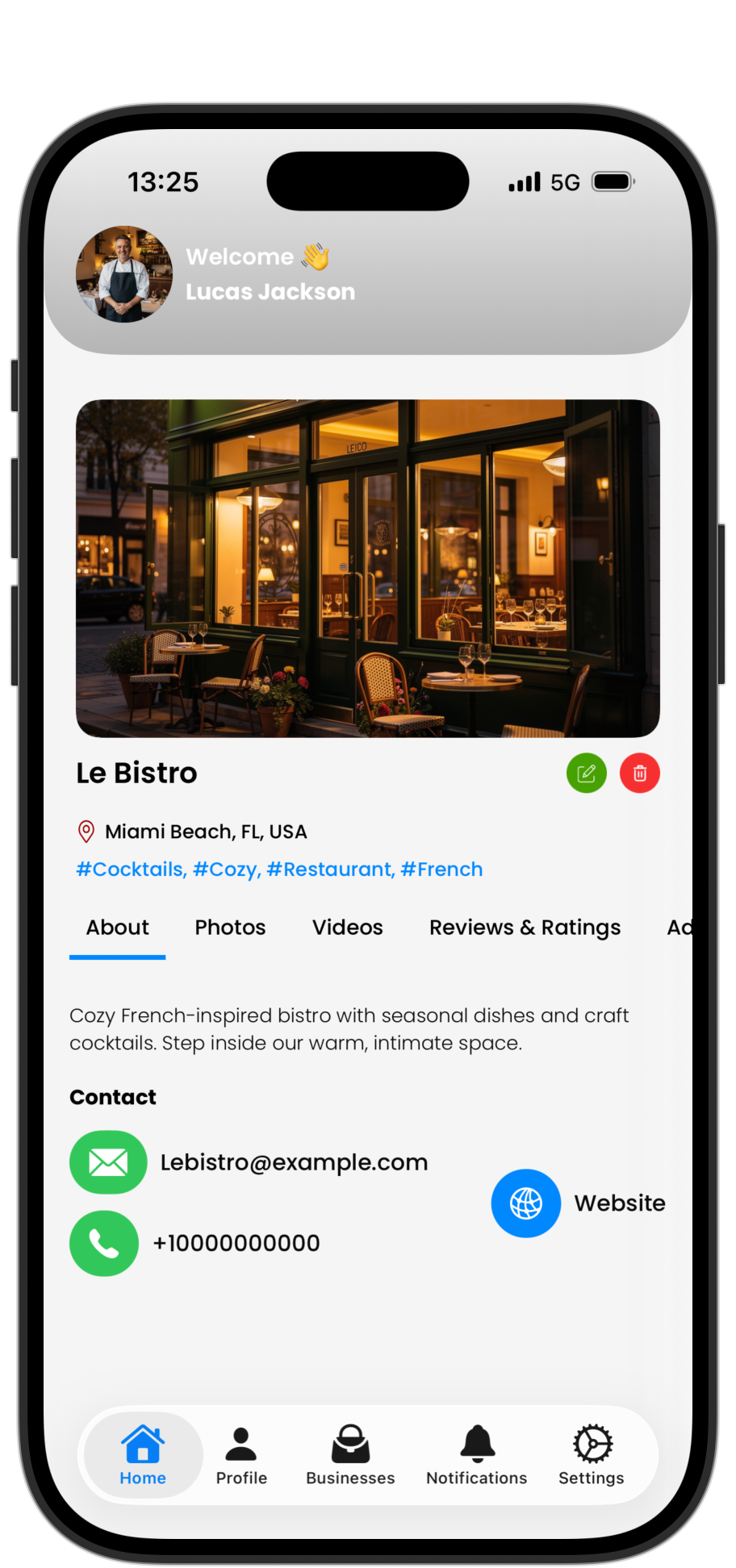
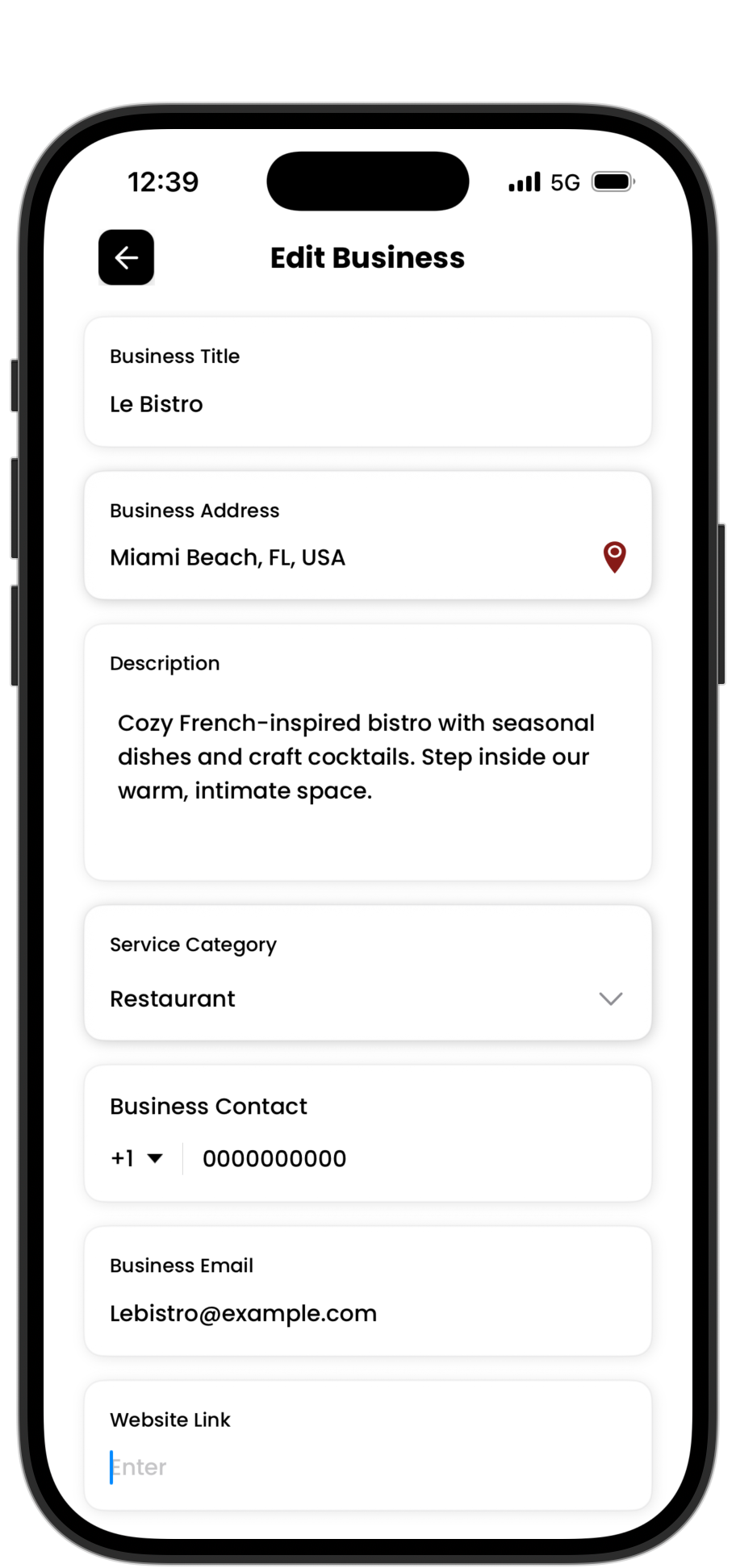
Manage your business profile, upload content, and browse places on iPhone.

Expressif on iOS: Browse
Browse
Expressif on iOS: Discover
Discover
Expressif on iOS: Manage
Manage
Every format. Every angle.

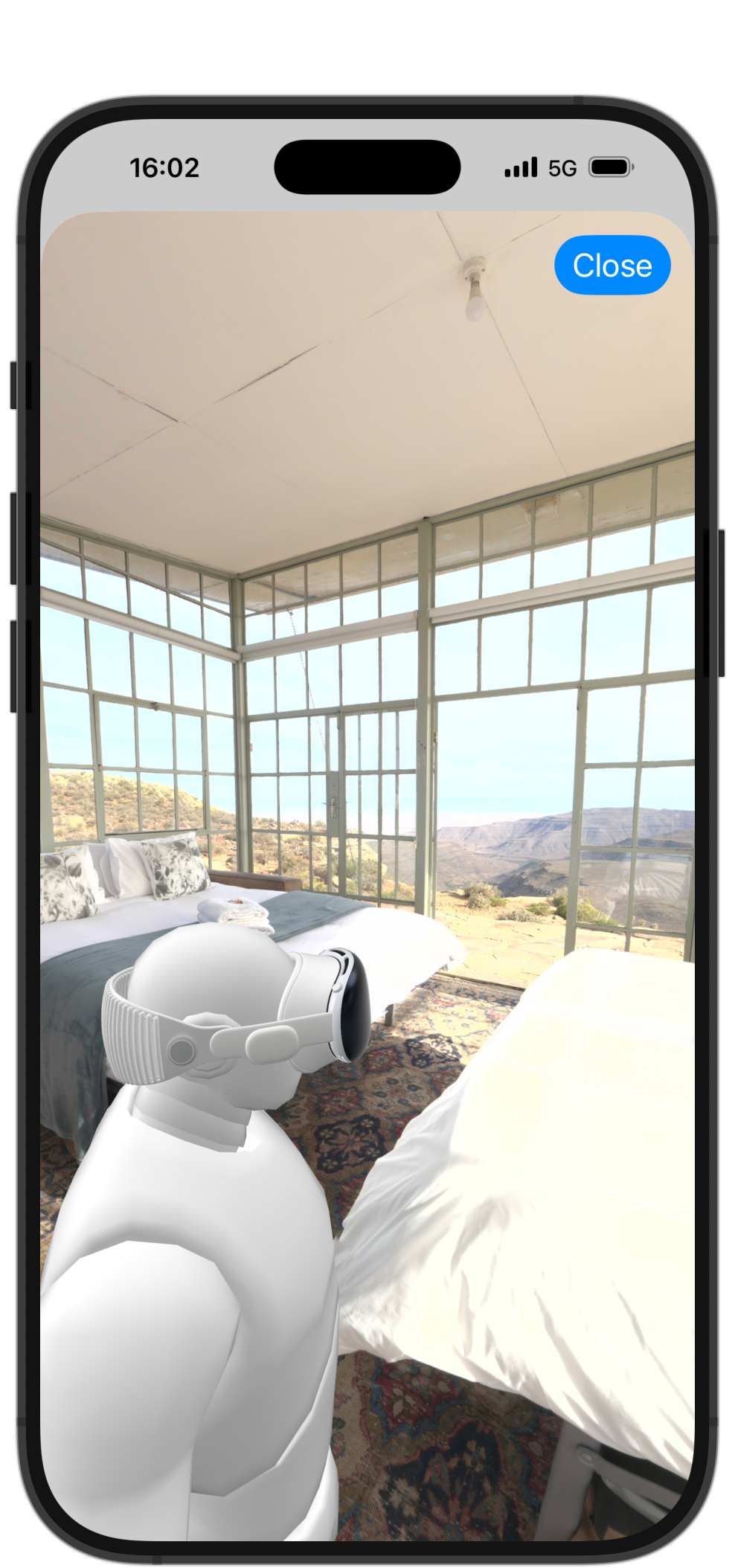
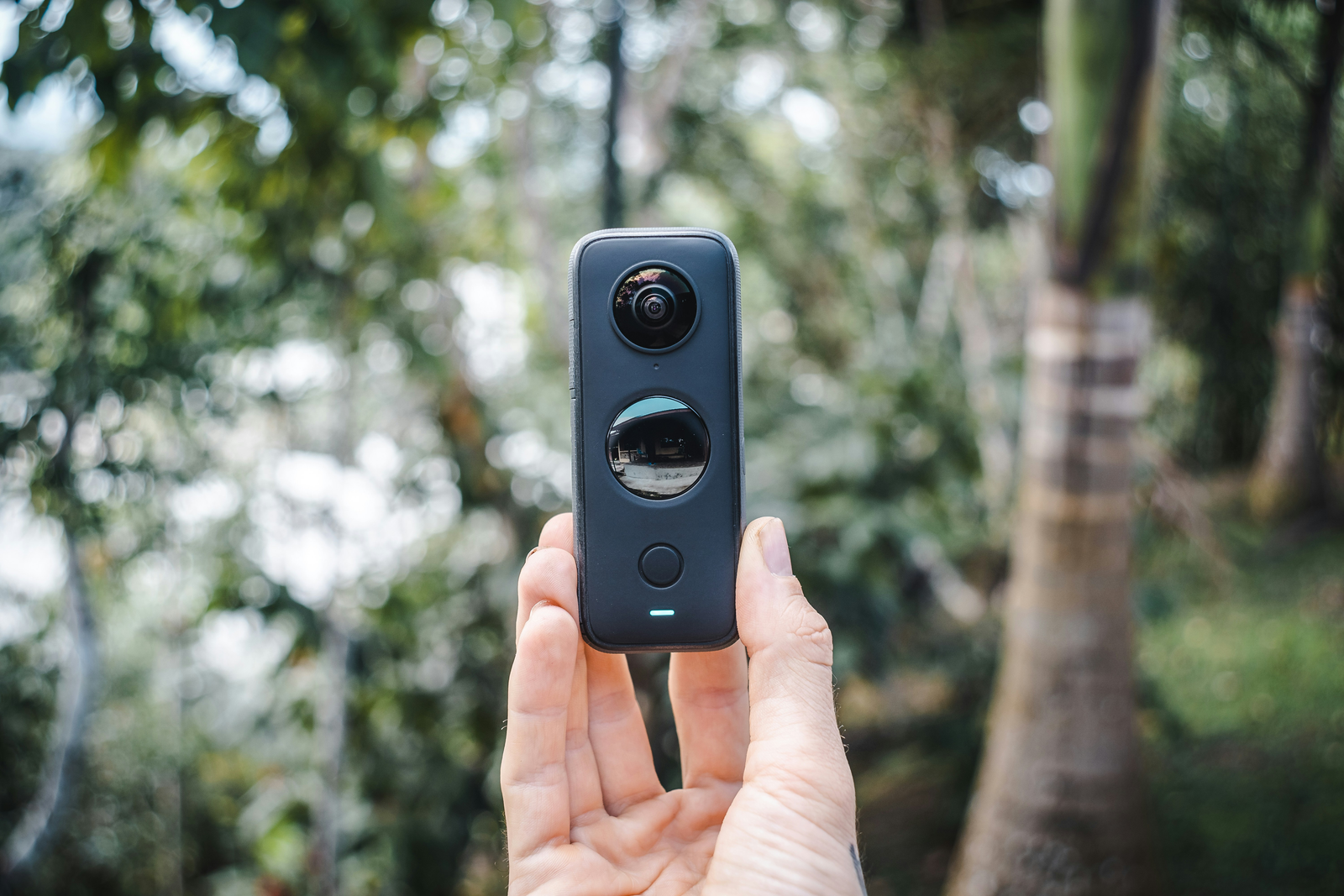
Capture with dedicated 360° cameras, iPhone, or Apple Vision Pro. Expressif supports them all.

Spatial Photos Spatial Videos 360° Photos 360° Videos Panoramas
Dedicated 360° Cameras
Dedicated Cameras

Use dedicated cameras to capture 360° photos and videos. Create immersive content that allows viewers to experience a scene from all angles.

iPhone & Vision Pro
iPhone & Vision Pro

Capture stunning spatial photos and immersive videos as well as breathtaking panoramas effortlessly using the camera app.

Questions? Answers.

Everything you need to know about Expressif.

What is Expressif?+
Expressif is an immersive discovery platform built for Apple Vision Pro. Businesses and professionals share spatial photos, spatial videos, 360° photos, and videos to showcase their spaces in vivid 3D, while users explore locations through immersive experiences.
Who uses Expressif?+
Two user groups benefit: businesses like restaurants, museums, hotels, shops, salons, and studios seeking to showcase their spaces immersively, and Apple Vision Pro owners plus iPhone users discovering and exploring places through spatial content.
How does it benefit businesses?+
Stand out with immersive previews. Build excitement and trust through virtual walkthroughs. Drive more visits and bookings. Collect valuable user ratings and feedback. Flexible pricing including a free tier, which is particularly valuable for reaching Vision Pro early adopters.
Is Expressif available on iOS?+
The iOS app is primarily designed for businesses to manage their profile and upload content. Users can also access iPhone viewing for most immersive content, though spatial videos can't be fully replicated but can still be viewed in 2D.
Is it free to use?+
Users enjoy free browsing, exploration, and rating capabilities. Businesses receive a complimentary plan with one photo; premium and elite tiers unlock additional photos, videos, and advanced features.
visionOS Exclusive
Dansez

Dansez

Your virtual nightclub on Apple Vision Pro. Step into an immersive club and dance to your music.

NightclubApple MusicImmersivevisionOS Only
Dansez on Apple Vision Pro
The Experience

Dansez transforms your space into a nightclub. Connect Apple Music, pick a vibe, and let the lights move with you.

YOUR MUSIC
Apple Music Integration
  • Connect your Apple Music library
  • Play any song, playlist, or album
  • Reactive visuals sync to the beat
YOUR SPACE
Immersive Environments
  • Full immersive club environments
  • Dynamic lighting and effects
  • Built natively for visionOS
See it in action
Questions? Answers.

Everything you need to know about Dansez.

What is Dansez?+
Dansez is a virtual nightclub experience built exclusively for Apple Vision Pro. It transforms your space into an immersive club with dynamic lighting and reactive visuals.
Do I need Apple Music?+
Yes, Dansez integrates with Apple Music so you can play your own songs, playlists, and albums. The visuals and lighting react to whatever you're listening to.
Does it work on iPhone or iPad?+
No. Dansez is built exclusively for Apple Vision Pro and requires visionOS. The full immersive experience is only possible on spatial hardware.
Is it free?+
Dansez is free to download on the App Store. Try it out and step into the club.
iOS · visionOS · macOS
Honest GIF Maker

Honest GIF Maker

GIFs. No subscriptions. No ads. One-time purchase, unlimited conversions.

$4.99 One-TimeNo SubscriptionNo WatermarksFamily Sharing
Honest GIF Maker
Simple by design

Import a video, trim, adjust, and export a perfect GIF. That's it.

THE TOOL
What You Get
  • Convert any video to GIF
  • Trim clips with precision
  • Adjust resolution and frame rate
  • Real-time preview before export
  • No watermarks, no limits
THE DEAL
Pay Once, Own Forever
  • $4.99 one-time purchase
  • No subscription, no hidden fees
  • Family Sharing for up to 6 people
  • Works on iPhone, iPad, Mac, and Vision Pro
  • Universal purchase: buy once, use everywhere
Questions? Answers.

Everything you need to know about Honest GIF Maker.

What does Honest GIF Maker do?+
It converts videos into GIFs. Trim the clip, pick your resolution and frame rate, preview in real time, then export. Clean, fast, and honest. No upsells, no watermarks, no limits.
Why is it called "Honest"?+
Most GIF apps hide basic features behind subscriptions or add watermarks. Honest GIF Maker does everything for a single $4.99 purchase. What you see is what you get.
Does it support Family Sharing?+
Yes. One purchase covers up to six family members through Apple Family Sharing. Buy once and everyone benefits, forever.
What video formats can I import?+
MOV, MP4, and any format supported by iOS Photos. Import directly from your camera roll.
Is there a file size or export limit?+
No artificial limits. Export quality depends on your clip length and resolution settings. The app recommends optimal settings to keep files shareable.
Does it work on Mac?+
Yes. Honest GIF Maker is a universal purchase and runs natively on Mac.
iOS · macOS · visionOS
Monito

Monito

The AI video editor for iPhone, iPad, Mac, and Apple Vision Pro.

AI EditAuto ClipsAuto Captions4K Export

Free to start · No account needed

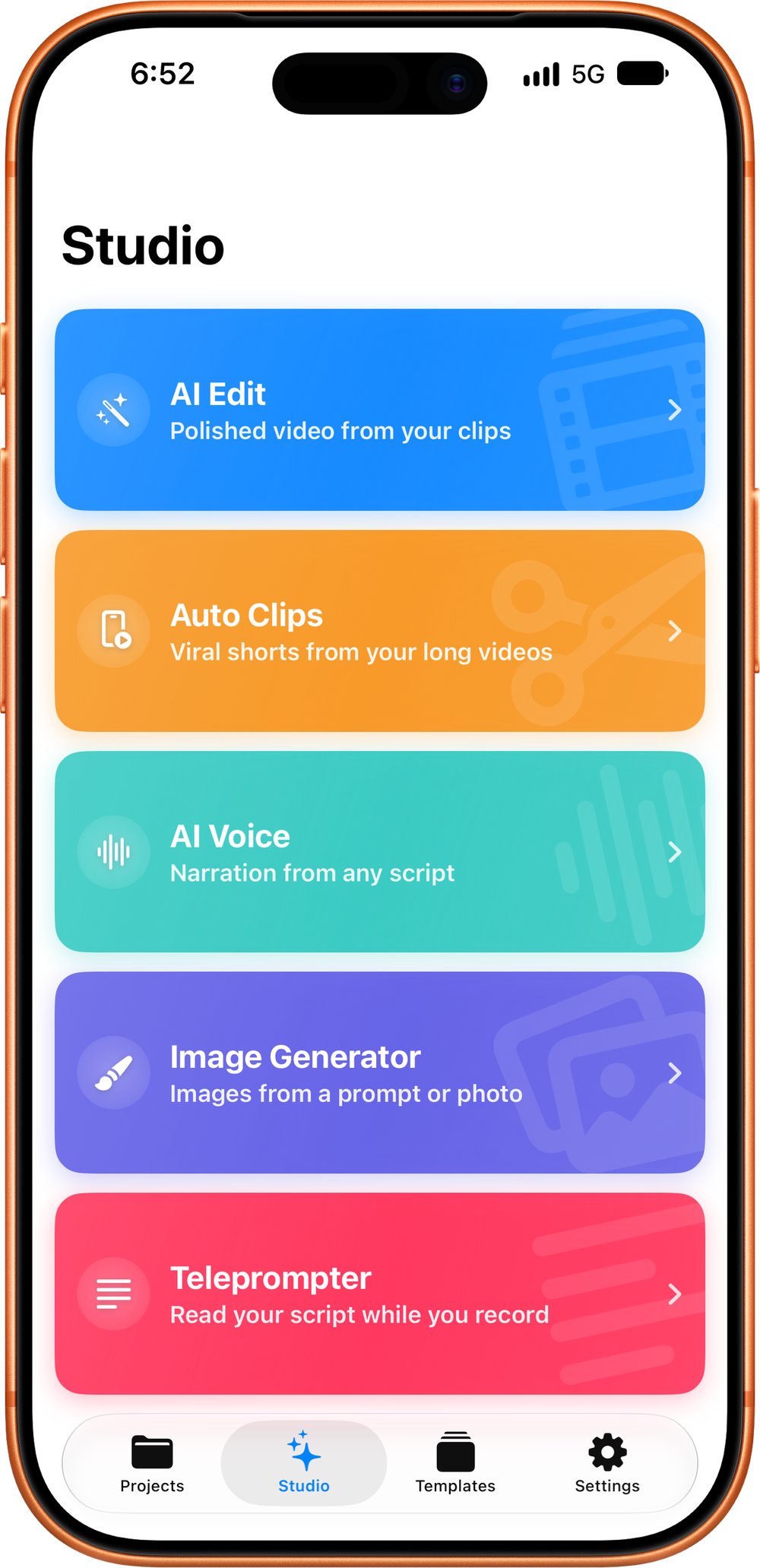
Monito Studio on iPhone
One app. Every device.

The same AI Edit, Auto Clips, and full timeline editor, native and tailored to how you work on each platform.

Monito on iPhone and iPad
iPhone & iPad
Edit anywhere, pocket-sized

The complete Monito editor fits in your pocket. Shoot, edit, and post, all from your iPhone or iPad.

  • AI Edit and Auto Clips built for on-the-go creators
  • Full multi-track timeline editor
  • Optimized for one-handed, on-the-go editing
  • Free to start. No account, no sign-up
Monito Auto Clips
Auto Clips
Long video → viral shorts

Drop in a long recording and Auto Clips finds the moments worth posting, then cuts, captions, and crops them into ready-to-share verticals.

  • AI scans your footage for the most engaging moments
  • Auto-generated captions on every clip
  • Smart face-aware cropping for 9:16 verticals
  • Review and tweak, or send any clip to the full editor
AI handles the heavy lifting

Two AI flagship features. On Apple Intelligence devices they run on Apple's Private Cloud Compute, private and unlimited, and keep working on-device when you're offline. Everywhere else, Cloud AI does the thinking. Your call in Settings.

AI EDIT
One or many clips → polished video
  • Smart cuts, retake removal, and false-start detection
  • Captions, music, and pacing handled automatically
  • Three recipes: Talking Head Short, Long-Form vlog, and Montage
  • Drop in screenshots or B-roll, AI places them for you
AUTO CLIPS
Long video → viral shorts
  • AI scans for the most engaging moments
  • Auto-generated captions per clip
  • Smart face-aware cropping for vertical formats
  • Review, tweak, and export, or send to the editor
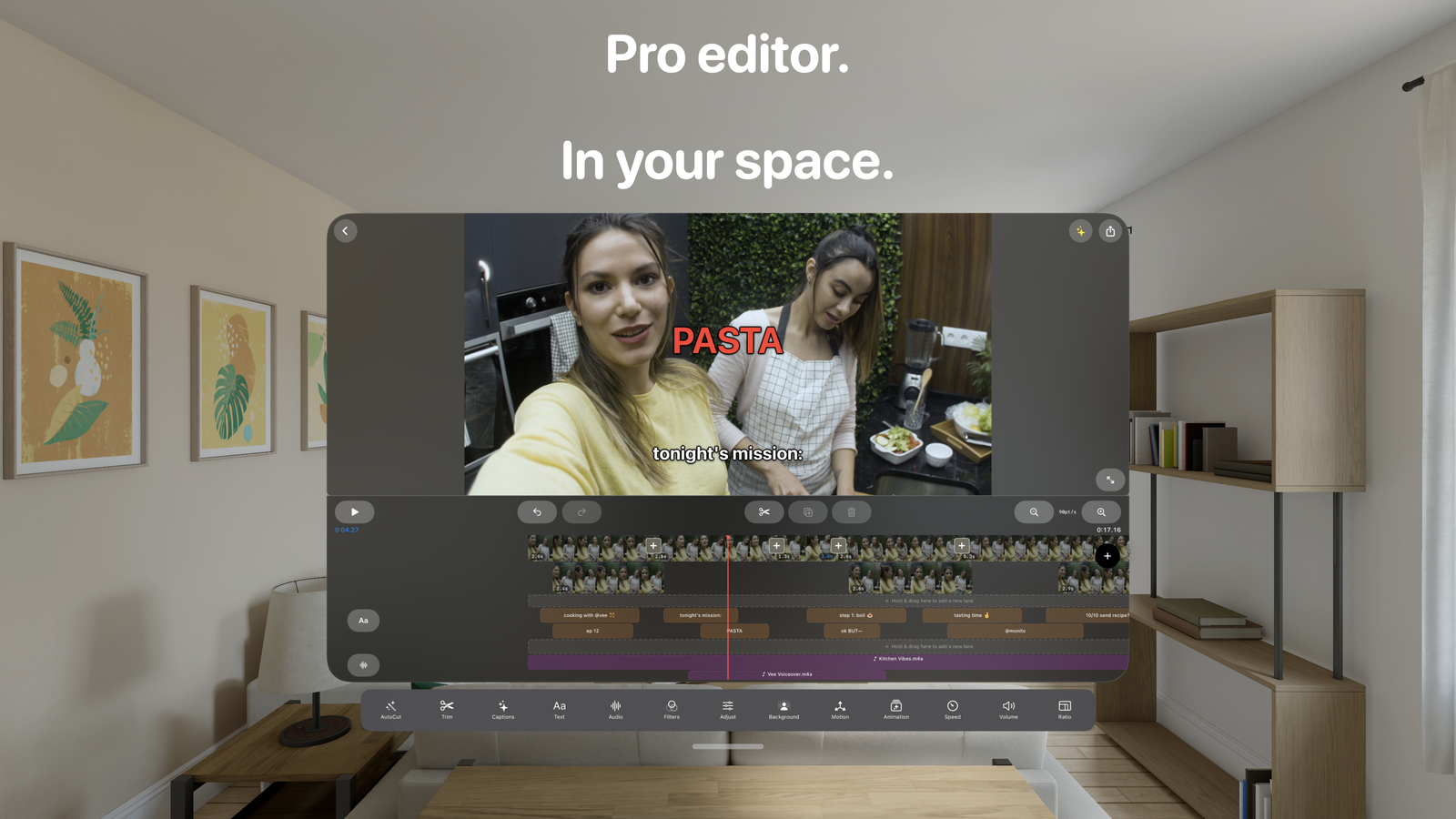
Edit with precision

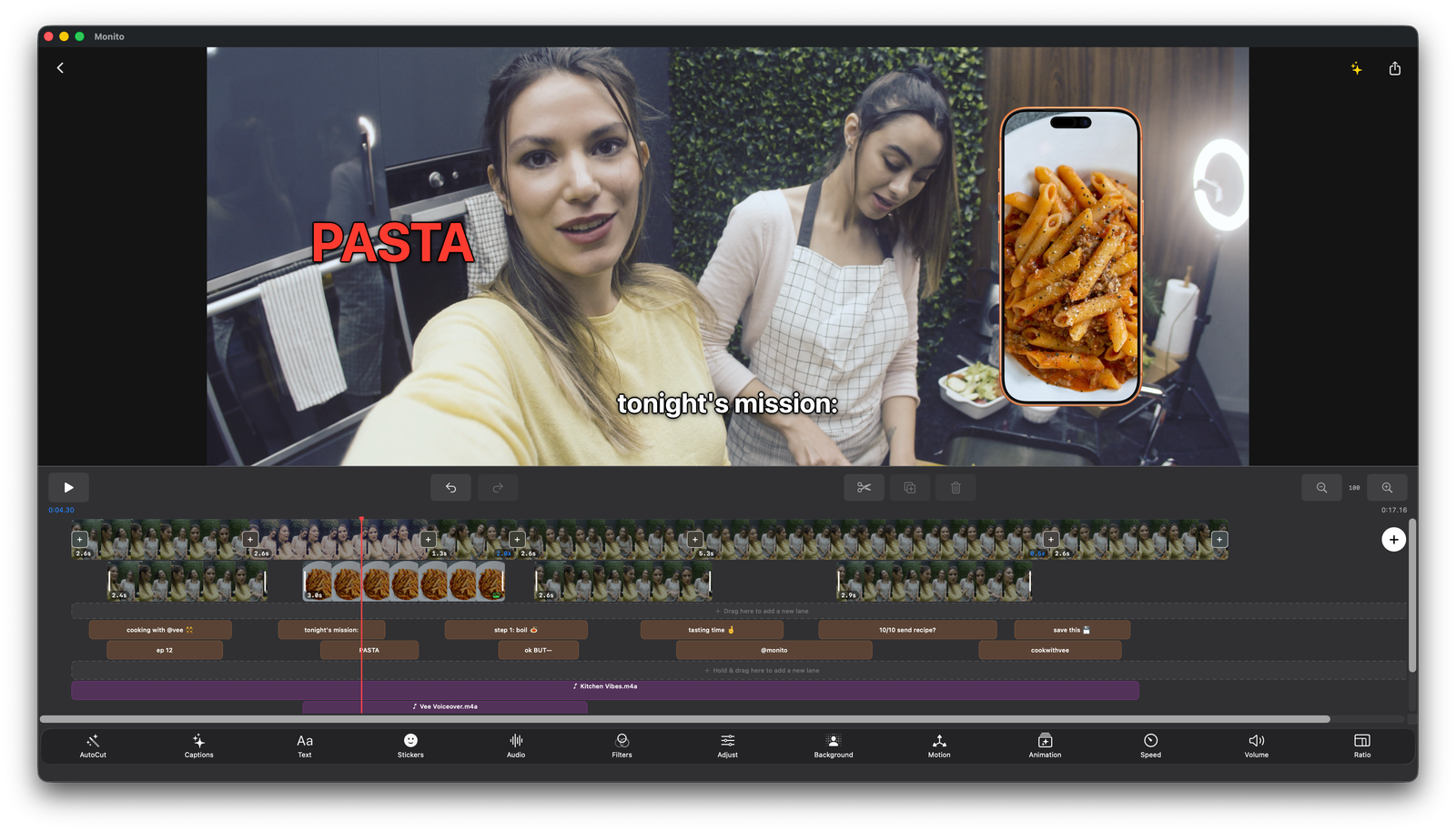
A multi-track timeline with everything you need to craft professional videos, right on your phone.

TIMELINE
Full Editing Suite
  • Multi-track timeline with drag-and-drop
  • Trim, split, and snap-to-grid precision
  • Picture-in-Picture overlays
  • Speed control, 0.25x to 4x
  • Text overlays with frame-level timing
ENHANCE
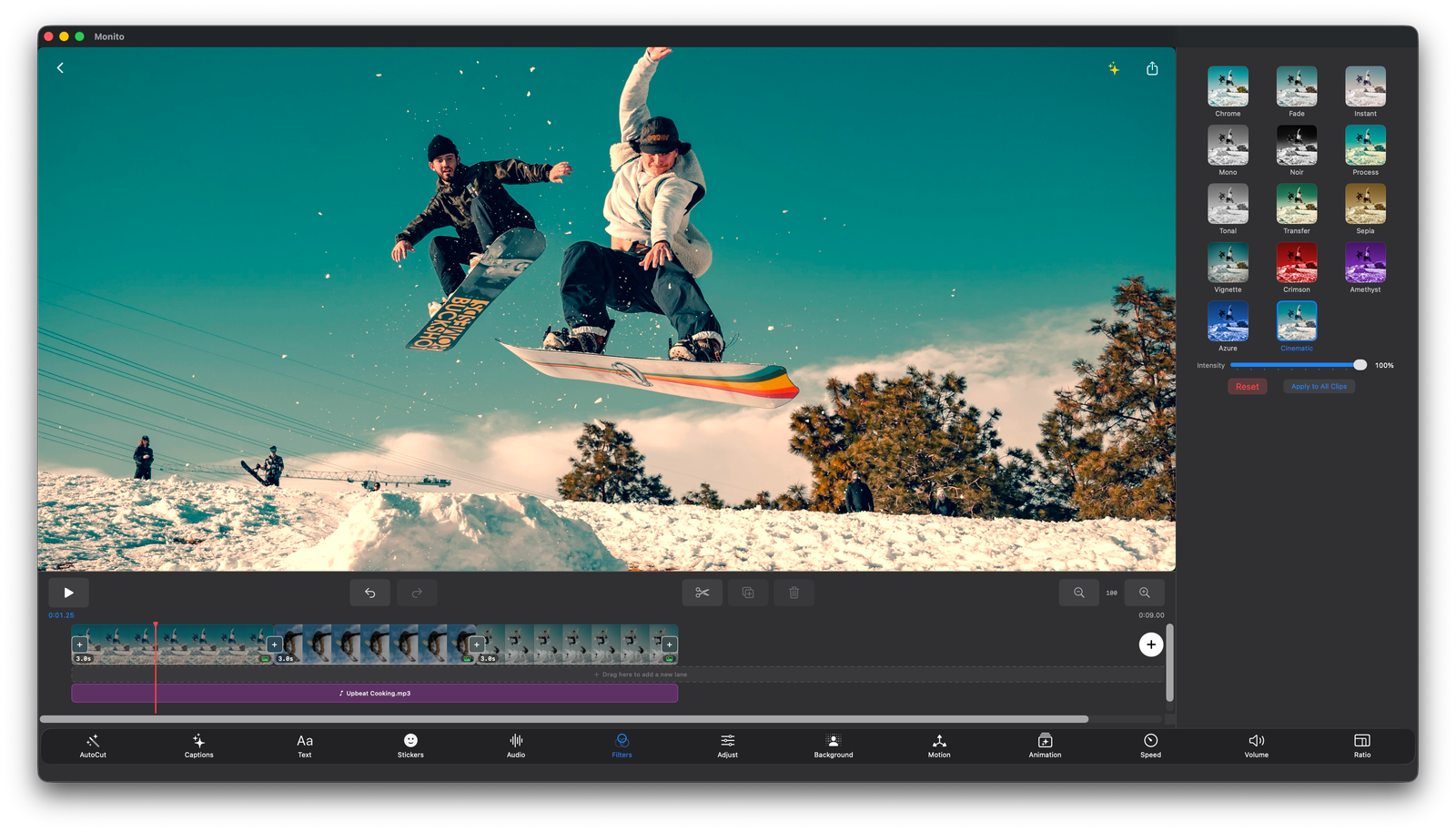
Filters & Transitions
  • Professional filters with adjustable intensity
  • Dissolve, Slide, Wipe, and Zoom transitions
  • Music & audio mixing with fade controls
  • 6 aspect ratios including 9:16 for Reels
  • Built-in templates for Vlogs, Reels, and more
Smart features. Your engine, your call.

Auto Captions and AutoCut run entirely on-device using Apple's speech recognition. AI Edit, Auto Clips, and Post Generator pick the best engine for your device automatically: Apple Intelligence where it's supported, Cloud AI otherwise. Pin a specific engine anytime in Settings.

AUTO CAPTIONS
40+ Languages
  • Speech recognition generates accurate captions
  • Customize font, size, color, background, and position
  • Shadow and outline styling options
AUTOCUT
Remove Silence Automatically
  • Detects and removes silences or no-speech sections
  • Three sensitivity levels
  • Adjustable padding for precise cuts
More in the Studio

Four more Pro tools beyond the timeline, each native to the devices it suits best. Try every one of them before you buy: browse, preview, and generate for free, then go Pro to bring the result into your project.

AI VOICE
Type a script, get a voiceover
  • Realistic voices generated from text
  • Preview any voice before you commit
  • Drops straight onto your timeline as an audio track
  • Available on iPhone, iPad, and Mac
TELEPROMPTER
Nail every talking-head take
  • Scrolling script over the live camera
  • Adjustable speed, size, and position
  • Save and reuse scripts between takes
  • Available on iPhone, iPad, and Mac
SPATIAL VIDEO
Turn any video into 3D
  • Converts ordinary footage to spatial video
  • Watch it in true depth on Apple Vision Pro
  • Save to Photos or Files, or keep editing it
  • Available on Mac and Apple Vision Pro
POST GENERATOR
Captions and titles that convert
  • Writes titles, descriptions, and hashtags from your video
  • Tuned per platform, from TikTok to YouTube
  • Built from what's actually said in your footage
  • Available on every platform
Export & pricing

Export in up to 4K with no watermark. Free tier available, and Monito Pro unlocks everything, as a subscription or a single one-time purchase.

EXPORT
Output Options
  • 720p, 1080p, or 4K resolution (4K with Pro)
  • HEVC or H.264 codec
  • 24, 25, 30, or 60 fps
  • Aspect ratios: 16:9, 9:16, 1:1, 4:5, 4:3
MONITO PRO
Unlock the Limits
  • Unlimited AI Edit* and Auto Clips*
  • Unlimited Post Generator* runs
  • Unlimited Auto Captions and AutoCut
  • Unlimited AI Voice (iPhone, iPad, Mac)
  • Teleprompter recordings saved without a watermark (iPhone, iPad, Mac)
  • Save and share your 3D spatial conversions (Mac, Vision Pro)
  • Unlock all the templates
  • 4K export with no watermark
Two ways to own Pro
SUBSCRIPTION
Every Pro feature, plus Cloud AI
  • Weekly, monthly, or yearly billing
  • Free trial on the yearly plan
  • Includes Cloud AI, the highest-quality engine for the longest videos
  • Cancel anytime
LIFETIME
One purchase. Every device.
  • Pay once, no recurring fee
  • Covers iPhone, iPad, Mac, and Vision Pro on the same Apple ID
  • AI runs privately on your device, including Apple's Private Cloud Compute where supported
  • Cloud AI is not included, but you can add the subscription anytime

* AI Edit, Auto Clips, and Post Generator are unlimited on devices that run AI locally, including Apple Intelligence and Apple's Private Cloud Compute, where Apple sets a daily allowance based on your iCloud plan. Cloud AI, the optional highest-quality engine included with the subscription, comes with a weekly allowance. Lifetime does not include Cloud AI, and the AI features need a device that supports on-device AI. See Terms & Conditions for full details.

Questions? Answers.

Everything you need to know about Monito.

Does Monito upload my videos to the cloud?+
Your video and audio files never leave your device. For AI features (AI Edit, Auto Clips, Post Generator), Monito sends only the transcripts and scene descriptions the AI needs to make decisions, never the raw footage. Apple Intelligence handles this on your device, or on Apple's Private Cloud Compute, which Apple builds so your data is never stored or made accessible to Apple. You can also pin the on-device local model in Settings to keep everything fully offline. There are no accounts. Monito does collect usage analytics and approximate location, linked to an anonymous app ID, plus advertising measurement data on iPhone and iPad. See the Privacy Policy for details.
What is AI Edit?+
AI Edit takes one or many clips and produces a polished video. AI handles the cuts, captions, music, and pacing for you. Three built-in recipes: Talking Head Short for TikTok / Reels / Shorts, Long-Form for YouTube-style vlogs, or Montage for music-driven highlight edits like travel, gym, events, and more. You can customize aspect, style, cut strength, captions, and audio in one panel.
Where does the AI run?+
Monito picks the best engine for your device automatically. On newer iPhones, iPads, Macs and Apple Vision Pro, that's Apple Intelligence (iOS 26+/visionOS 26+/macOS 26+). On iOS 27 and later, Apple Intelligence uses Apple's Private Cloud Compute for the smartest results when you're online, with a daily allowance Apple sets based on your iCloud plan, and falls back to your device when you're offline or past it. Devices that don't support Apple Intelligence but have at least 4 GB of RAM can download a local model instead. Cloud AI, included with the subscription, works on any device with internet and handles the longest videos, and it's the option for devices that can't run AI locally at all. You can pin any engine in Settings. Auto Captions and AutoCut always run on-device using Apple's speech recognition.
Is Monito available on Apple Vision Pro?+
Yes. Monito is now a native visionOS app, so the full editor (AI Edit, Auto Clips, auto captions, the timeline, and 4K export) runs right on Apple Vision Pro. You get a spatial, glass interface in a spacious main window you can position anywhere in your space, no account required.
Is Monito available on Mac?+
Yes. Monito is now a native, universal Mac app that runs on both Apple Silicon and Intel. You get the full timeline editor, AI Edit, Auto Clips, auto captions, and 4K export on a bigger desktop canvas, no account required.
Is Monito free?+
Monito offers a free tier with limited daily exports and feature uses. Monito Pro unlocks unlimited AI Edit*, unlimited Auto Clips*, unlimited auto captions and AutoCut, 4K export, and unlimited daily exports. You can take Pro as a subscription (weekly, monthly, or yearly, with a free trial on the yearly plan) or as a one-time Lifetime purchase that covers every device on your Apple ID. The subscription also includes Cloud AI; Lifetime runs the AI features on your device.