Auto captions in one tap
Accurate captions in 40+ languages, styled your way.
Plenty of people scroll with the sound off. Monito writes the captions for what you say, so your video still lands, on iPhone, iPad, Mac, and Apple Vision Pro.
Free to start · No account needed
How it works
Start a project with any video from your library, or record one with the built-in Teleprompter.
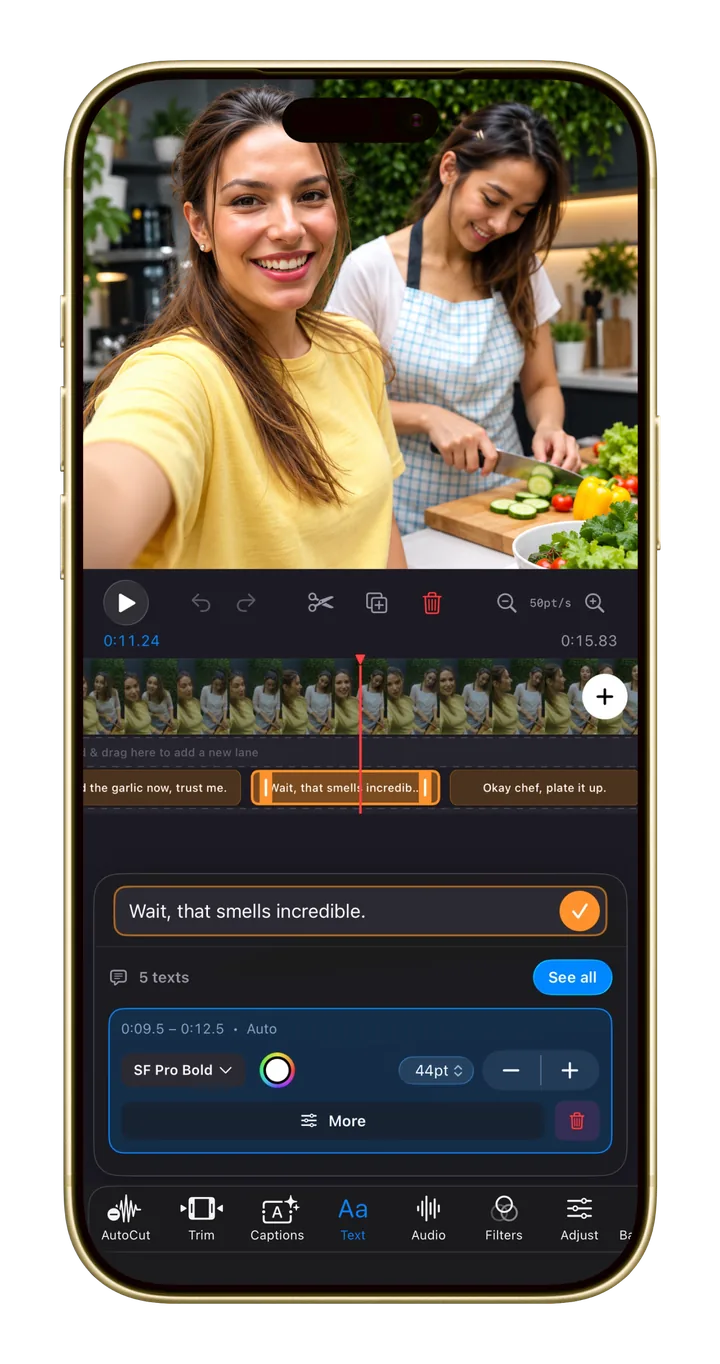
Monito writes the captions for you, in any of 40+ languages. Or ask the assistant to “add captions”.
Choose how your captions look, then export in 9:16, 16:9, 1:1, and more, up to 4K.
Why caption with Monito
Caption videos in the language you speak.
Make captions match your look, not a template.
Type “add captions” and Monito’s assistant makes the edit. One tap undoes it.
Free to start. Pro when you're ready.
Auto Captions is free to try. Monito Pro unlocks unlimited Auto Captions and 4K export with no watermark. See the plans.