The video editor your AI can use
Connect Claude, Codex, or Cursor to Monito on your Mac.
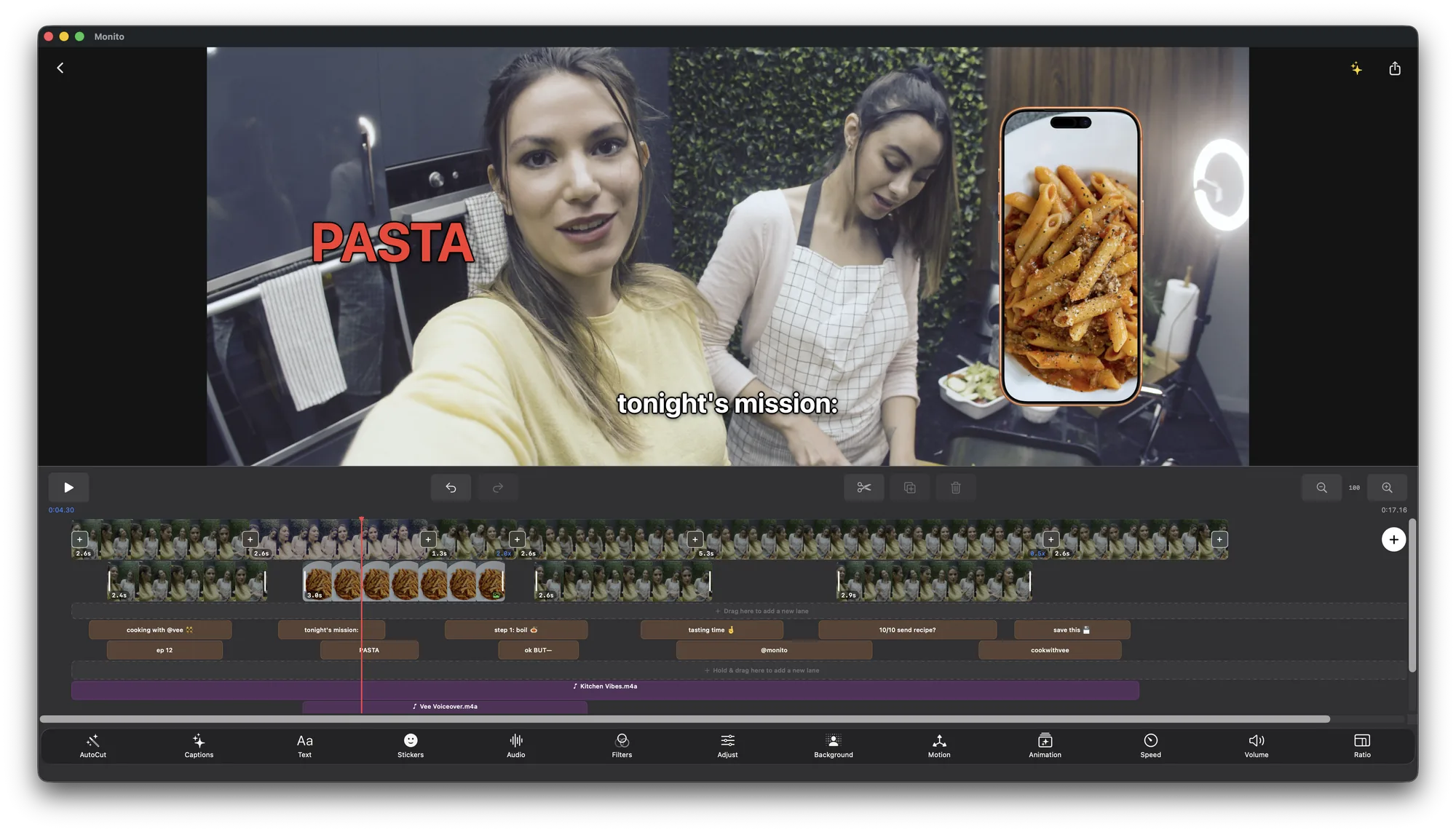
Monito’s MCP server gives your AI app 50 editing tools. Ask it to cut, caption, add motion graphics and b-roll, then export, while you watch every change in the editor.
On Mac · Part of Monito Pro
What your AI can do
Your AI app works in Monito’s editor, with the same timeline and export you use.
List, open, or create projects, and read the whole timeline: clips, text, captions, graphics, audio, and transitions.
Split, trim, move, duplicate, and delete, or find the silences and cut them, like AutoCut.
Transcribe speech on your Mac into timed captions, word by word or in phrases, and restyle every caption in one go.
Lower thirds, titles, callouts, subscribe buttons, QR codes, polls, counters, charts, and end screens, or a design of its own.
Zooms and pans, keyframes, shake and glitch, masks that follow a moving object, and layers that blur a face.
Your own music, fades, and one step to sit the music under your voice.
Import from any folder on your Mac, or add free stock video and photos from Pixabay and Pexels as b-roll.
Render a frame to check the edit, then export up to 4K in HEVC or H.264 to Movies, your Desktop, Photos, or any folder.
Apply one of Monito’s templates, or yours, for pacing, transitions, and titles.
Try asking
- “Open my latest project, cut the silences, and add word-by-word captions.”
- “Here’s my script. Cut the takes to match it.”
- “Now do the same on my other two interview projects.”
- “Import everything in the Shoot folder on my Desktop, in order, and make it 9:16.”
- “Find b-roll of a city at night and cut it in while I talk about the trip.”
- “Put the music under my voice and export a 1080p H.264 copy to my Desktop.”
You stay in control
The server listens only on your Mac, and only apps with your access token can connect.
Every change shows up live in Monito’s editor, and each edit is one ⌘Z.
Media stays in the folders you allow. Monito asks you before your AI opens a new one.
Set it up in a minute
In Monito on your Mac, open Settings › Agent Access. It’s part of Monito Pro.
Copy the command from Agent Access and paste it, or enter the settings below.
Keep Monito open and ask your AI app. It starts from your list of projects.
Claude Code
claude mcp add --transport http -s user monito http://127.0.0.1:47319/mcp \
  --header "Authorization: Bearer YOUR_TOKEN"
Any other app that supports MCP over HTTP
URL      http://127.0.0.1:47319/mcp
Header   Authorization: Bearer YOUR_TOKEN
Replace YOUR_TOKEN with the token from Settings › Agent Access. If you reset it in Monito, update it in your AI app too.
Questions? Answers.
- Projects: list_projects, open_project, create_project, get_timeline, render_frame, seek
- Editing: split, trim, move, delete, duplicate, edit_timeline, undo, redo
- Clips and look: update_clip, set_aspect_ratio, set_transition, set_motion, set_keyframe, move_keyframe, set_path, set_effect, set_mask, track_mask, add_layer, add_color_card, list_templates, apply_template
- Text and captions: add_text, update_text, generate_captions
- Motion graphics: add_graphic, update_graphic, create_graphic, check_graphic, graphic_format
- Sound: update_audio, normalize_audio, audio_levels, detach_audio, list_library, add_library_audio
- Silences: find_silences, cut_silences
- Media: list_folder, add_media, search_stock_media, add_stock_media
- Export: export, check_progress