Long videos into viral shorts
One long video, many shorts.
Podcasts, streams, interviews, vlogs: Auto Clips finds the moments worth sharing, ranks them, and turns each one into a captioned vertical clip.
Free to start · No account needed
How it works
Step 1
Add a long video
A podcast, an interview, a stream, or a vlog.
Step 2
Get your best moments
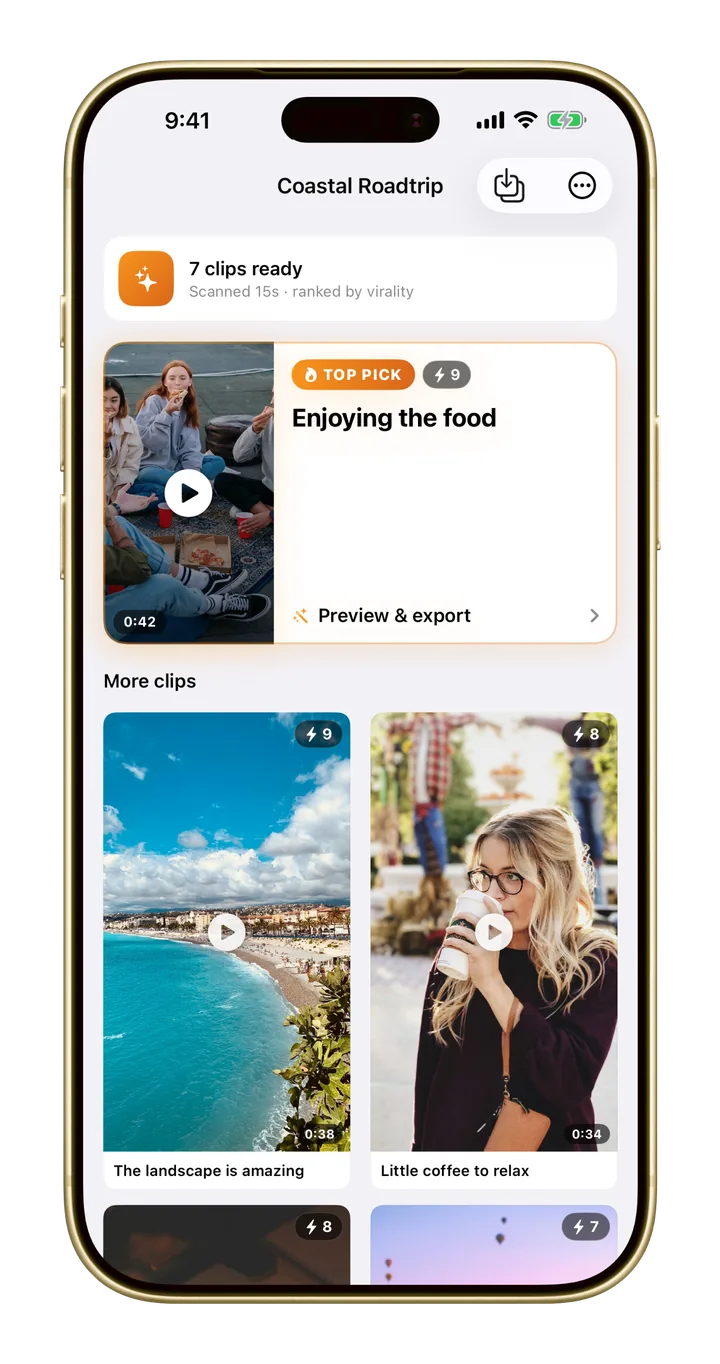
Auto Clips finds the most engaging moments and ranks them, best first.
Step 3
Post
Each clip comes captioned and cropped to vertical, ready for TikTok, Reels, and Shorts.
From one recording to a week of posts
Ranked for you
Your best moments, cut and ranked, so you post the strongest first.
Captioned
Every clip gets captions, in 40+ languages.
Vertical by default
Cropped to 9:16 for TikTok, Reels, and Shorts.
Free to start. Pro when you're ready.
Auto Clips is free to try. Monito Pro unlocks the AI features and 4K export with no watermark. See the plans.
Questions? Answers.
Which platforms are the clips made for?+
Clips are cropped to vertical 9:16 and captioned, ready for TikTok, Instagram Reels, and YouTube Shorts. You can also export in 16:9, 1:1, and more.
Is Auto Clips free?+
You can try it for free. Monito Pro unlocks the AI features without limits.
Do I need Apple Intelligence?+
No. Monito picks the best AI engine for your device. Cloud AI gives the best results on the longest videos and works on any device with internet.
Can I change a clip?+
Yes. Monito’s full editor sits under the AI, so you can fine-tune any clip: trim it, restyle the captions, or add music and text.